Adult Learning
Beginners
Curriculum
Self-Improvement
Adult Beginner Piano Plan: A Simple 7-Day MuseFlow Routine That Actually Works
November 5, 2025

Finding a realistic way to start learning piano as an adult can feel overwhelming. Unlike children, most adults don’t have long blocks of free time or the flexibility to attend frequent in-person lessons. Work schedules, family responsibilities, and mental fatigue all compete for attention. What many adults need is not more motivation, but a clear, time-efficient structure that fits into daily life without becoming another source of pressure.
This 7-day beginner piano framework is designed around how adults actually learn: through short sessions, clear goals, and visible progress. It is not about rapid transformation or mastering complex pieces in a week. The purpose is to establish a sustainable practice routine that builds real skills and encourages consistency.

Adult learning research consistently shows that achievable goals and self-directed pacing improve persistence and long-term engagement. Rather than long, exhausting practice sessions, adults benefit more from brief periods of focused effort repeated consistently. This plan uses daily sessions of 15–20 minutes—short enough to fit into a busy schedule, but structured enough to support progress.
Each day introduces a single learning focus, reducing cognitive overload and making practice feel manageable rather than intimidating.
Goal: Become comfortable with the instrument and basic feedback.
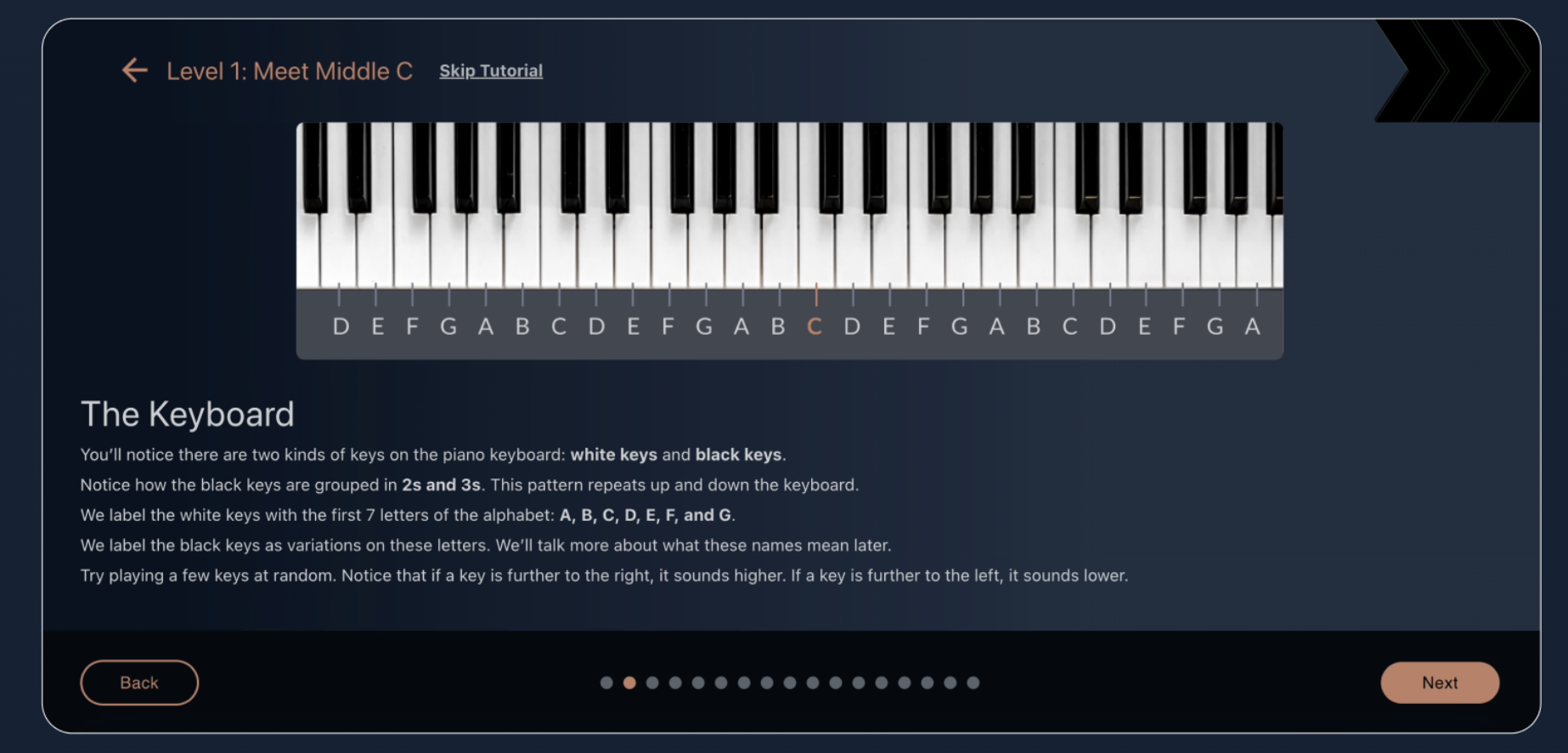
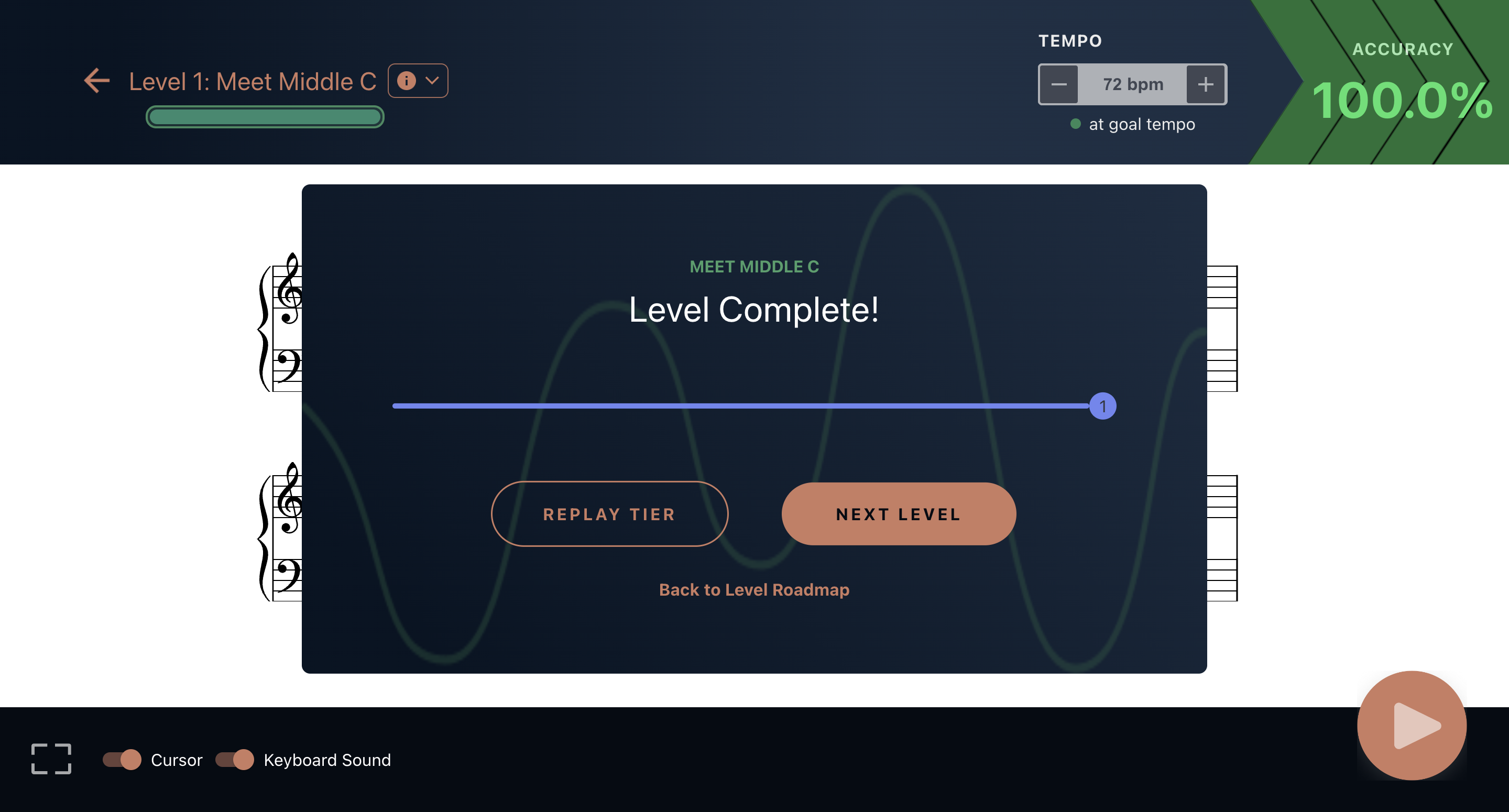
Action: Begin by familiarizing yourself with your keyboard layout and how feedback works during practice. Whether using a teacher, a learning app like MuseFlow, or another feedback method, the goal is simple exploration. Play individual notes, observe what feels natural, and focus on understanding how mistakes are identified.
Mindset: Curiosity. This is about orientation, not performance.
Goal: Strengthen the connection between written notes and the keyboard.
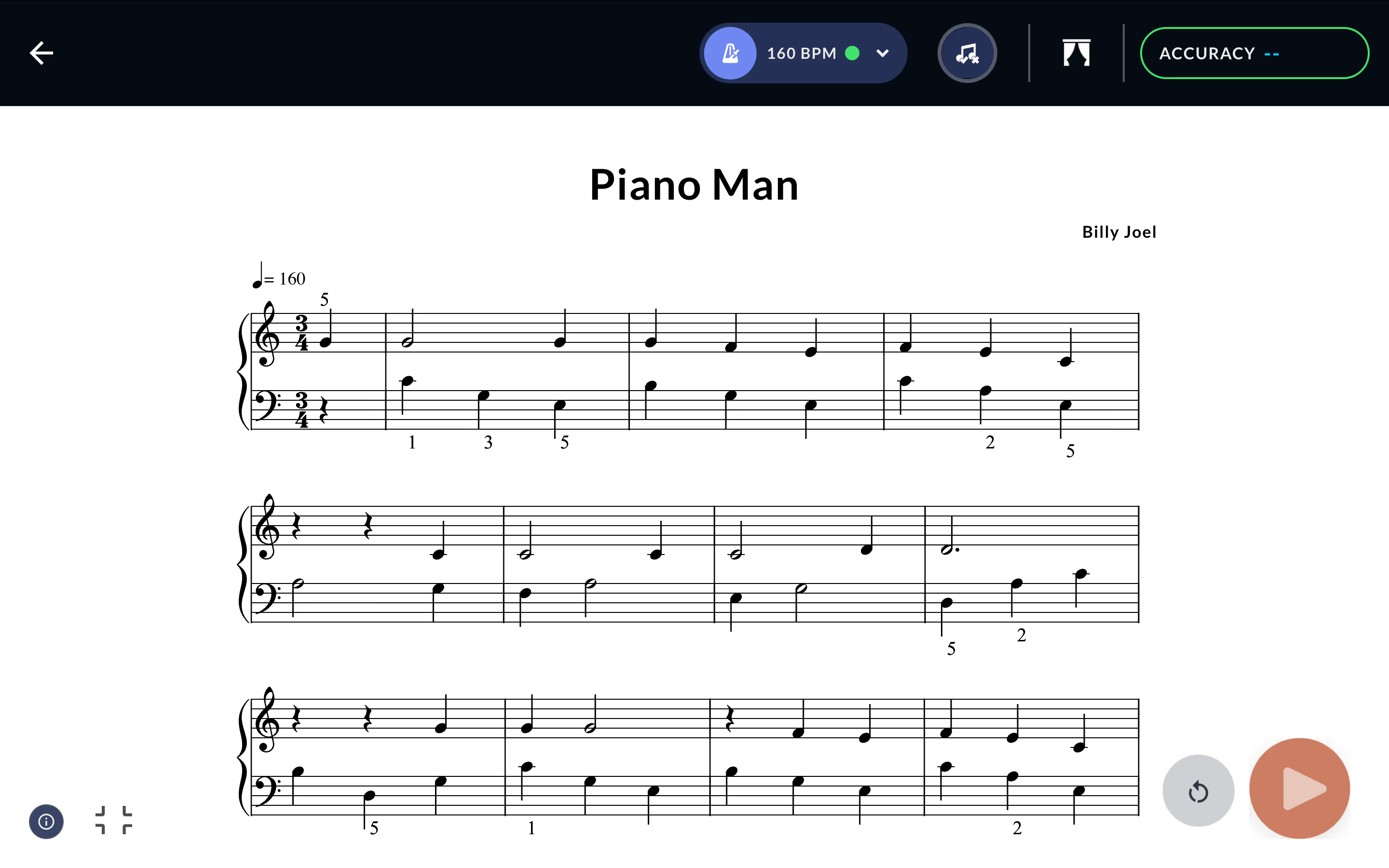
Action: Today’s focus is accuracy, not speed. Take time to identify notes on the staff and locate them on the keyboard. Pausing to think is expected. This deliberate process helps build the mental mapping that sight reading depends on.
Mindset: Patience. Correct notes matter more than fast notes.

Goal: Add timing awareness to your playing.
Action: Rhythm is what turns notes into music. Practice playing with a steady beat, even if mistakes happen. Learning to stay in time develops coordination and prepares you for real musical pieces.
Mindset: Precision. Feel the pulse rather than chasing perfection.
Goal: Integrate pitch and timing together.
Action: This is often the most challenging step for beginners. Start with simple material and aim for consistency rather than flawlessness. Research on sight-reading development shows that practicing pitch and rhythm together accelerates fluency compared to isolating skills for too long.
Mindset: Focus. Difficulty here is a sign of real learning.

Goal: Apply skills to recognizable pieces.
Action: Choose a simple song or exercise that resembles real music. The purpose is not mastery, but application. Playing musical material reinforces motivation and helps learners connect technical practice to expressive outcomes.
Mindset: Enjoyment. This is where effort starts to feel rewarding.
Goal: Work slightly beyond your comfort zone.
Action: Select material that introduces small challenges without becoming frustrating. Educational research on skill acquisition describes this balance as the “optimal learning zone,” where progress is strongest when difficulty is neither too easy nor overwhelming.
Mindset: Growth. Mistakes are part of improvement.
Goal: Consolidate progress and build confidence.
Action: Revisit earlier exercises and notice improvements in ease and accuracy. End the session by playing something you enjoy. Reflecting on progress reinforces motivation and supports habit formation.
Mindset: Recognition. Progress, not perfection.
This plan emphasizes principles shown to support adult learning success and enhance life:
Studies on adult education and self-directed learning indicate that visible progress and adaptive pacing significantly improve retention and motivation, especially when learners can adjust practice intensity to their own capacity.
After seven days, the goal is not completion, but momentum. A structured routine makes it easier to continue learning without relying on willpower alone. For adults who prefer guided practice with real-time feedback, platforms like MuseFlow can support this type of structured progression, but the learning principles themselves remain universal.
A consistent, well-designed plan—not excessive practice time—is what allows adult beginners to move forward with confidence.
Ready to start your week? Download MuseFlow and begin your adult beginner piano plan today. Your future musical self will thank you.
Learning to play the piano is a timeless goal, but busy schedules and limited access to private lessons can make it challenging. With recent advances in digital music education, it’s now possible to structure practice at home in a way that accelerates learning without compromising technique or understanding.
The most effective approach combines short, focused practice sessions, adaptive material, and immediate feedback to ensure steady progress. Below, we explore seven key benefits of using technology-supported piano learning for beginners and experienced musicians alike.
Traditional lessons often operate on slow feedback loops, where mistakes may go uncorrected for days. This can reinforce incorrect fingerings or rhythms and slow overall progress.
Modern piano learning tools provide real-time feedback, allowing learners to immediately identify and correct errors. Research on skill acquisition in music demonstrates that fast feedback loops improve retention, reduce ingrained mistakes, and enhance motor learning.
Spacing practice into shorter, regular sessions has been shown to improve retention and maintain focus. Practicing 10–20 minutes daily can be as effective as longer, less frequent sessions, particularly for beginners who are internalizing music-reading skills. For beginners and home learners, having the right keyboard can make consistent practice more productive — see our guide on:
Choosing the right equipment can also make practice more comfortable and effective; see our guide on
This approach leverages principles from deliberate practice and adult learning research, helping learners steadily build fluency without burnout.
.png)
Dividing music into smaller sections—phrases, measures, or thematic motifs—makes new pieces easier to digest. Beginners can isolate challenging parts and focus on them individually before integrating the full piece.
This method supports faster sight reading development and reduces cognitive overload, allowing learners to progress more confidently. Digital platforms often implement this structure automatically, but the principle can be applied manually in any practice setting.
Rhythm is a common challenge in sight reading. Using tools such as a metronome or subdividing beats can help learners internalize tempo and timing. Key techniques include:
Research indicates that structured rhythm practice improves both accuracy and confidence in reading new pieces.
Sustaining practice over weeks and months is often more important than individual session length. Gamified learning principles—such as tracking progress, setting small goals, or completing incremental challenges—can improve engagement.
While some platforms integrate these features, learners can also apply them independently by setting clear practice goals and rewarding progress. Engagement is closely linked to flow, where learners feel immersed and motivated, a concept supported by music psychology research and further explained in discussions about just‑in‑time learning and flow state in music education.
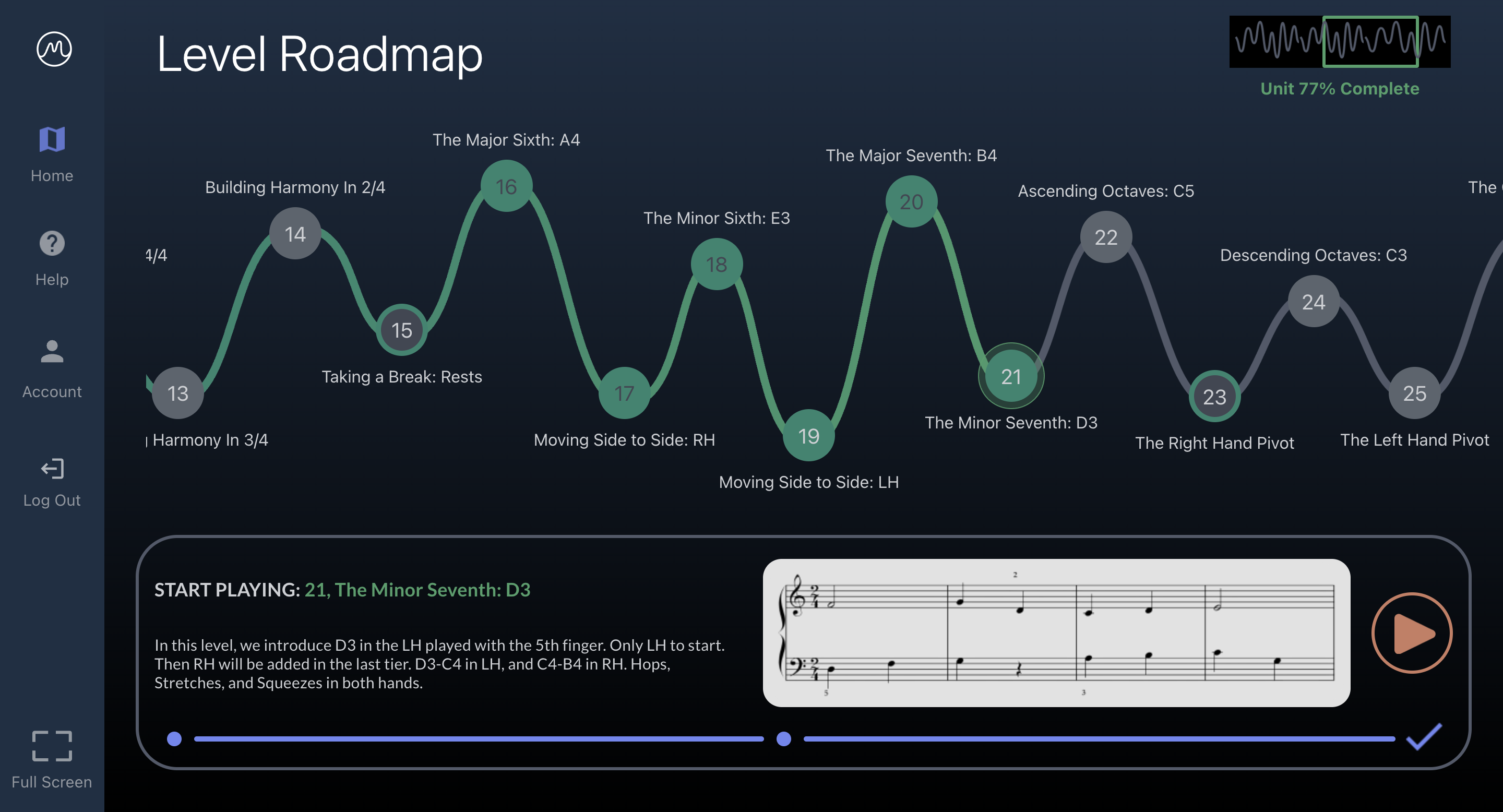
Home-based learning allows learners to practice at convenient times, fitting sessions into busy schedules. Flexibility supports consistent habits, which research shows is critical for long-term progress. By creating a routine that suits personal availability, learners can achieve more than rigid, weekly lesson schedules alone.
Digital solutions reduce reliance on multiple method books or in-person lessons, making music education more accessible and affordable. The focus should be on structured practice, adaptive material, and effective feedback, rather than the sheer quantity of resources. Evidence shows that structured, frequent practice with properly sequenced exercises delivers measurable improvement without expensive tools.
Learning piano at home is now more achievable than ever when practice is structured, engaging, and supported by immediate feedback. By combining short, focused sessions, rhythm training, chunking music, and maintaining consistent engagement, learners can accelerate sight reading and overall piano skills.
The principles outlined here—efficient practice, structured progression, and real-time feedback—are supported by research on adult learning and music pedagogy. While various digital tools can implement these strategies, the educational value comes from how these methods are applied consistently.
Learning piano at home or in a studio has always presented challenges. While students benefit from one-on-one instruction, traditional teaching methods often limit how efficiently technical skills can be reinforced, leaving teachers spending significant time correcting repetitive mistakes. Recent advances in digital tools, including gamified piano learning platforms, offer a complementary approach that allows teachers to focus on artistry while students build strong technical foundations.
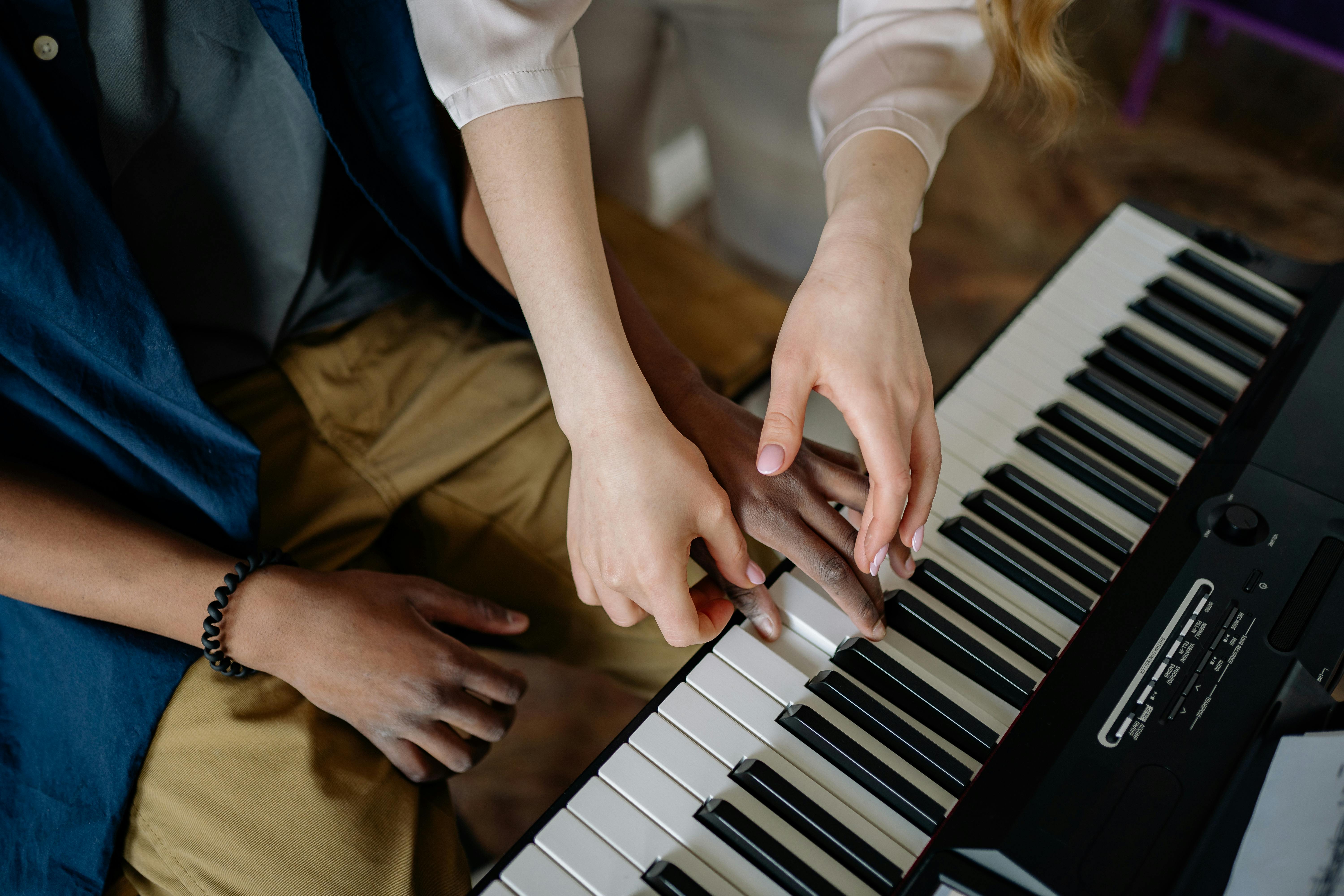
Even the most passionate piano teachers face structural obstacles in guiding students effectively:
Lesson time is often consumed by correcting note accuracy, rhythm, and finger positioning. While essential, these fundamentals can be practiced independently with structured exercises, freeing teachers to focus on interpretation and musical expression.
Weekly lessons may leave students practicing for days without guidance, allowing small errors to become habits. Delayed feedback can reduce motivation and slow progress, particularly for learners studying independently or remotely.
Every student learns differently—some thrive with repetition, others with variation. Traditional methods may struggle to accommodate these differences in real time, causing some students to feel rushed and others held back. Adaptive practice tools can help teachers personalize instruction while maintaining engagement.
Gamification in piano instruction is not intended to replace teachers. Instead, it provides consistent reinforcement of technical skills, allowing teachers to focus on areas that require human artistry: phrasing, dynamics, expression, and musical storytelling.
By integrating gamified practice alongside traditional instruction, students enter lessons with fundamental skills already reinforced. Beginners who want to improve note-reading quickly can also explore this guide to the easiest way to read piano notes for step‑by‑step strategies. For strategies on keeping piano practice engaging and avoiding boredom, see this guide on staying motivated while learning piano. Teachers can then prioritize mentorship, inspiration, and creative guidance, which fosters deeper engagement and more enjoyable learning experiences.
When applied thoughtfully, gamified piano lessons can change how lesson time is spent:
This structured support encourages students to enjoy practice and progress steadily while teachers spend their energy where it matters most.

Studies in music education and learning psychology support the benefits of immediate feedback and adaptive practice. Research consistently shows that short, focused sessions with immediate corrective input improve skill acquisition, retention, and motivation in learners of all ages. While individual results vary, gamified learning tools help supplement traditional lessons and enhance sight reading development, ensuring foundational skills are reinforced efficiently.
One example of this approach in practice is platforms that dynamically adjust exercises to the student’s skill level, helping prevent stagnation while maintaining engagement.
Effective piano education relies on balance between technology and human instruction:
This partnership creates a harmonious learning environment, enhancing both efficiency and enjoyment.
Integrating gamified practice into piano instruction helps learners develop independence, improves sight reading skills, and reduces frustration. Teachers can guide students to express creativity rather than simply correct mechanical errors, promoting long-term engagement and musical growth.
By reinforcing technical skills through adaptive digital tools, students arrive at lessons prepared to explore artistry, and teachers can devote time to nurturing interpretation, phrasing, and expressive performance.
Gamified piano lessons are most effective when used to support, not replace, traditional instruction. They provide structured reinforcement of fundamental skills, allow for personalized pacing, and help students develop independence while keeping practice engaging. Teachers benefit by spending more time on mentorship and creative guidance, fostering both skill and passion in their students.
The future of piano education lies in this balanced approach: combining immediate, structured digital support with human expertise to create motivated, confident, and musically expressive learners.
Many adults hesitate to learn piano because of common myths about age, talent, and time. These misconceptions create unnecessary barriers, preventing beginners from discovering the joy and benefits of playing piano.
The truth? It’s never too late to start, and you don’t need “natural talent” to make meaningful progress. With structured practice and modern learning tools, adults can enjoy musical growth at any stage of life.
Some believe that age limits musical ability, but research shows otherwise. Adult brains are capable of neuroplastic changes, meaning they can form new neural connections and learn new skills throughout life.
Adult learners often have advantages over younger students, such as:
Is it too late to learn piano? The answer is a resounding no. Check out this article if you wonder: "Can Adults Really Learn Piano From Scratch?" Adult learners often progress faster than children.
Perhaps the most destructive piano learning myths revolve around the concept of "natural talent." This fixed mindset prevents countless adults from even attempting to learn. The Reality: Do you need talent to learn piano? Research shows that musical training creates plastic changes in adult brains and benefits extend well into adulthood.
What people call "talent" is actually the result of effective practice and proper instruction. Modern neuroscience reveals that musical ability develops through deliberate practice, neuroplasticity, progressive skill building, and a growth mindset. Studies demonstrate that believing abilities can be developed through dedication leads to greater achievement than believing in fixed talents.
Many beginners assume that meaningful progress takes years, but modern teaching approaches have significantly shortened the time it takes to play recognizable music. Instead of delaying songs until after long technical drills, contemporary learning models introduce music earlier while building foundational skills in parallel.
Educational research on skill acquisition suggests that adults learn more effectively when practice is structured, feedback is timely, and difficulty increases gradually. In piano learning, this commonly involves:
For learners who prefer guided practice without fixed lesson schedules, some digital platforms offer structured progression and real-time feedback designed around these principles. MuseFlow is one example of a tool built to support this type of learning approach.
Many adults believe piano learning myths that center on costly requirements that make the hobby inaccessible.
The Reality: Modern technology has democratized piano learning. A basic digital piano and innovative solutions like MuseFlow provide everything needed to start your musical journey. Cost-effective learning includes digital pianos, technology-based learning, flexible scheduling, and no performance pressure. You can learn more about what makes a keyboard good for learning piano.
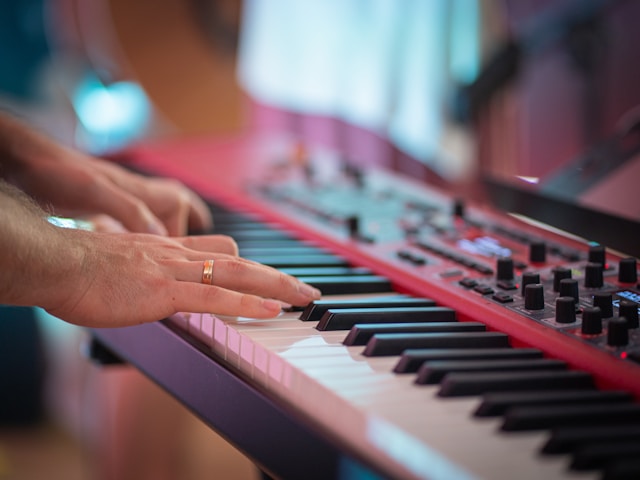
This persistent piano learning myth assumes that childhood is the only optimal time for musical development. This is patently false.
The Reality: While children may have certain advantages in motor skill development, adults excel in areas crucial for musical learning: analytical thinking, emotional maturity, self-direction, and consistency.
MuseFlow's innovative approach directly addresses every piano learning myth that stops adults from starting:

Adults often delay starting due to comfortable excuses rather than real limitations. The reality is:
Progress is measurable: adults often advance faster than children in structured practice.
Is it too late to learn piano? Only if you believe the myths.
Do you need talent to learn piano? Only if you define talent as the willingness to practice consistently.
The biggest piano learning myth is that you can't start now. Every day you delay based on these misconceptions is another day you could have been making music.
Your piano journey doesn't require perfect conditions, natural talent, or childhood timing. It requires only the decision to begin and the right tools to support your learning.
Don't allow piano learning myths to control your musical future. Discover what you're truly capable of achieving.
Sight reading is often considered a fundamental skill for pianists pursuing a music degree. But are most professional pianists actually good sight readers? The short answer: yes, but they had to endure years of grueling sight reading exercises, sight reading books, and a traditional approach to sheet music that makes learning slow and difficult.
In most music education programs, sight reading is taught alongside repertoire, rather than as the primary learning method. This means students first memorize pieces, then struggle to sight read unfamiliar sheet music. But what if the process was reversed?
That’s where MuseFlow revolutionizes the way pianists learn, making piano sight reading practice the first thing you tackle, allowing students to develop their sight reading ability faster, retain more information more effectively, and apply their skills directly to repertoire.

Many pianists enter college with varying levels of sight reading ability, depending on their early training. While some conservatory-level musicians can sight read orchestral reductions with ease, others still struggle with unfamiliar notes read in real-time.
The traditional music education model emphasizes memorization, performance, and interpretation before fluency in sight reading exercises. Students often rely on:
This method works.. eventually... but it takes years of sight reading practice piano training under immense pressure. MuseFlow, on the other hand, lets you optimize the level of difficulty yourself, ensuring that students start from where their skill meets the challenge, and progress through sight reading free of unnecessary frustration or boredom.
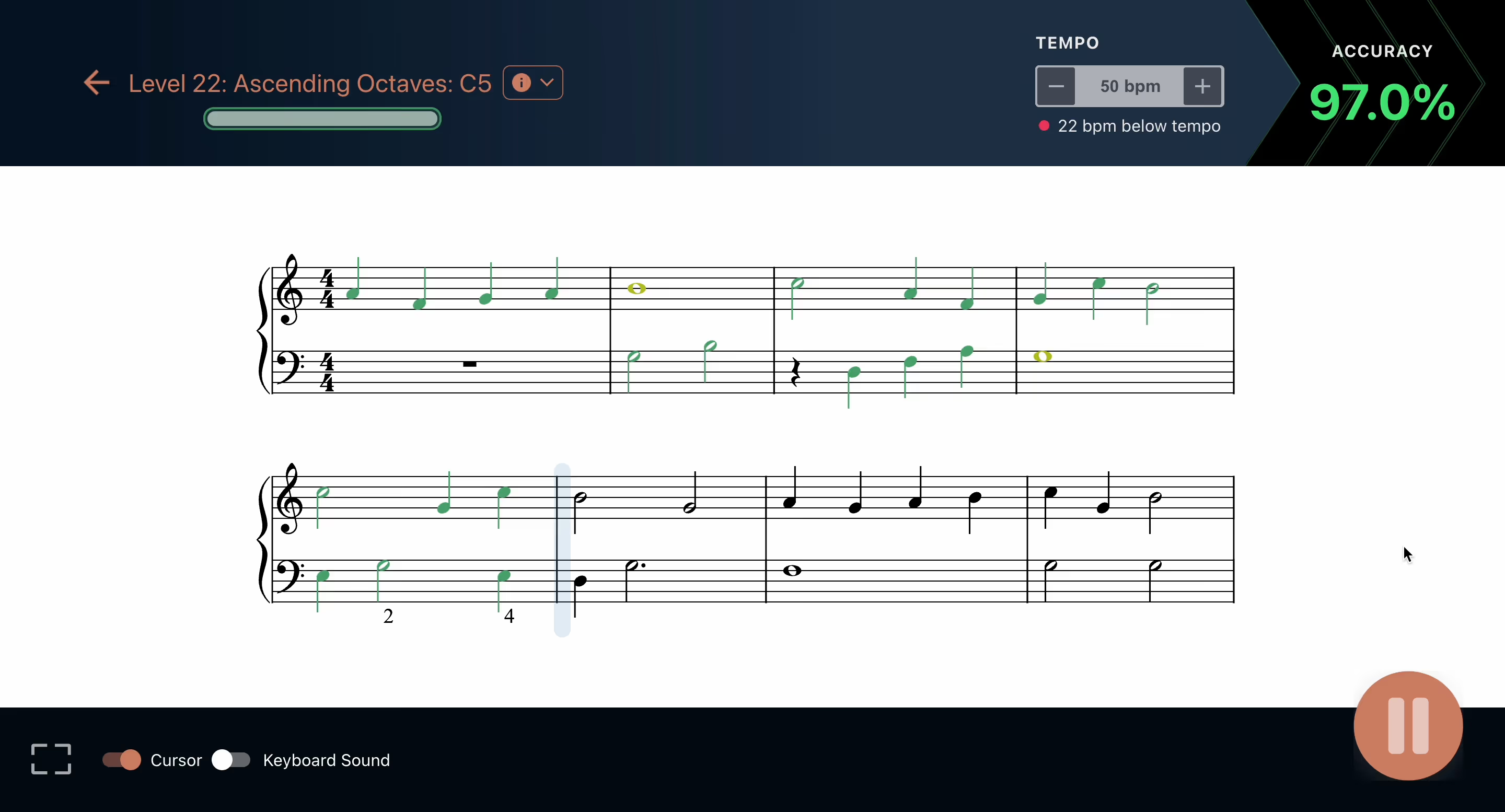
Pianists with formal degrees typically develop their sight reading ability through:
Music majors must quickly absorb new pieces because of deadlines. They rehearse for hours and hours, just perfecting one piece that the’ll have to perform for a music assignment or ensemble performances. The faster they can read notes and patterns, the better they perform.
Music degree programs often test sight reading under pressure. Students must play complex sight reading exercises in front of professors, often with little preparation. Though institutions haven’t adopted an effective way to train sight reading specifically.
A pianist’s bookshelf is filled with sight reading books of increasing level of difficulty, covering everything from simple rhythms to advanced polyphonic textures. Though of course, these texts are limited to the amount of music that is within them.
Repetition is key in music school.. Many pianists spend hours each week on sight reading practice piano drills, gradually improving their ability to play music at first sight. Keywords here are repetition, and gradually. Again, definitely not the most effective method to learn to sight read.
Accompanying singers or instrumentalists forces pianists to develop real-time sight reading ability. Mistakes are only partially welcome, and to a point. You need to be sure not to mess up the main performer if you are accompanying them. Yet, this is the most intuitive, effective, and fun way to learn how to sight read.
These methods above are highly effective… but they demand years of rigorous training, are quite time consuming, and highly repetitive, often with high levels of frustration.
MuseFlow accelerates this process by integrating sight reading from the very first lesson, and. by making it the base of the entire curriculum.
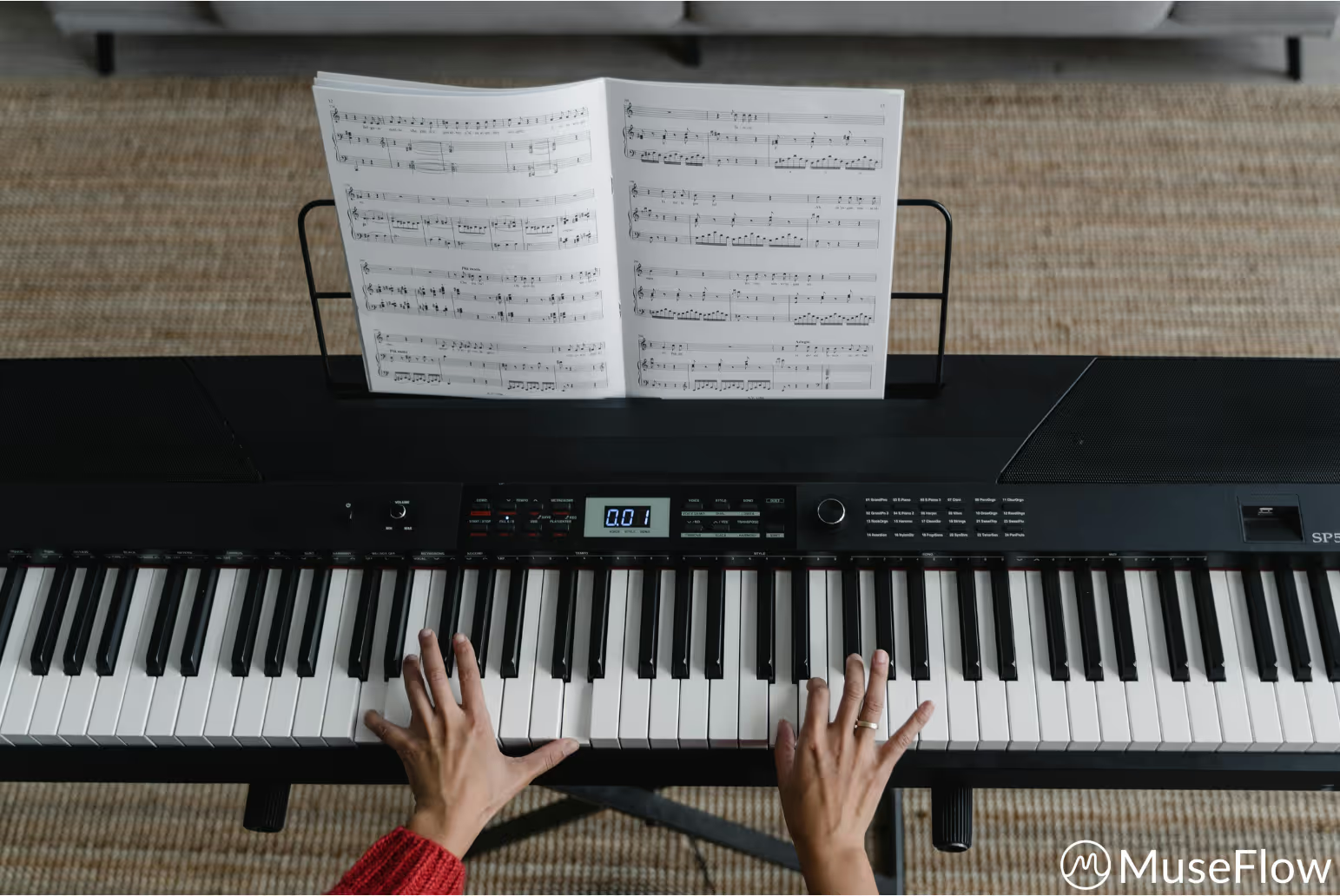
Unlike traditional music education, where sight reading exercises are secondary, MuseFlow places sight reading practice for piano, first. Here’s how:
Instead of teaching students to memorize pieces first, MuseFlow guides them to read notes in real-time, reinforcing pattern recognition. Students learn the notes and rhythms for each level through sight reading first, then, once they’ve learned the new skill, songs get unlocked!! At that point, they’ve already learned the new skill well enough to play new songs with those skills in them!! Thus, making it easier, faster, and more fun to learn those new songs.
MuseFlow lets users place themselves where their sight reading skill level matches the challenge of a level. Instead of hard-unlocking everything, MuseFlow has every level soft-unlocked, so a user can go in and decide where to start. Unlike static sight reading books, MuseFlow has a full range of never-repeating music in a vast range of levels. Users can place themselves at whatever difficulty matches their skill level, and move up at their own pace, never repeating the same phrase twice.
MuseFlow turns sight reading practice for piano into an immersive challenge. No more tedious sight reading books… just continuous improvement through engaging play.
MuseFlow helps students sight read free of fear of failure, and then seamlessly transition to learning pieces they love. Instead of memorizing songs outside of their level first, they develop their sight reading ability first, and then refine their artistry and musicianship in the songs at that level.
Traditional music education takes years to develop strong sight readers. With MuseFlow, pianists achieve the same level in a fraction of the time, and in a more engaging/gamified way.
Most sight reading books are filled with repetitive, outdated exercises that lack engaging and endless exercises. The typical sight reading practice piano routine involves hours of playing dull etudes that don’t translate into real world music fluency.
By contrast, MuseFlow:
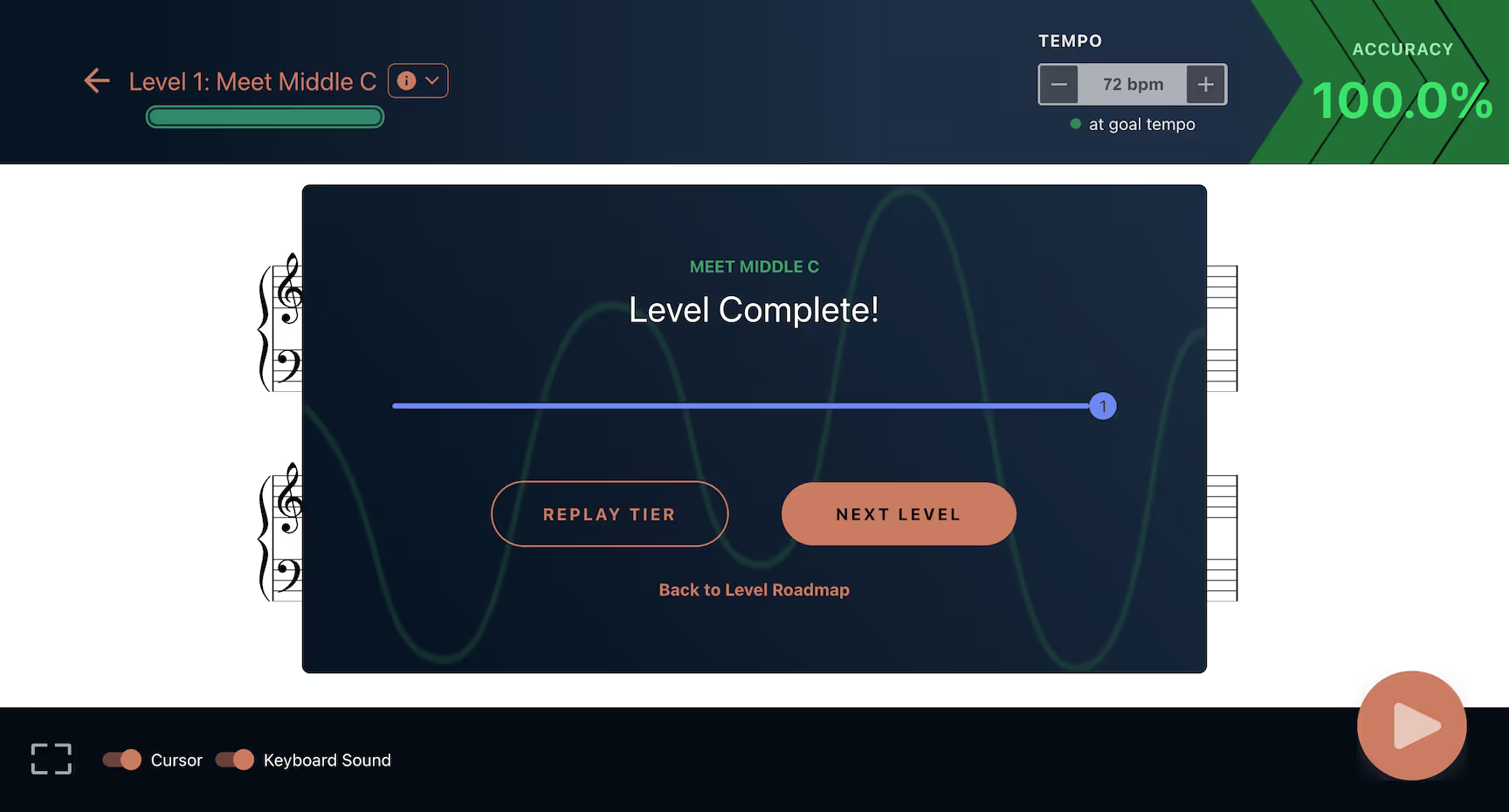
Most pianists with a music degree develop their sight reading ability, but they do so through years of difficult training. MuseFlow makes it possible to reach the same level.. without the years, and without the frustration.
By reversing the music education process and making sight reading the foundation of learning, MuseFlow helps students:
✔️ Learn sheet music for the songs they love faster and with more fun
✔️ Improve their ability to read notes in real-time
✔️ Skip outdated sight reading books and use personalized, never-repeating sheet music
✔️ Achieve advanced sight reading ability through natural, intuitive practice
Want to accelerate your sight reading practice piano training? Start learning the fun way with MuseFlow today!
Sight reading is one of the most important foundational skills for pianists, and adult learners just starting out may benefit from a broader overview of the best ways to learn piano as an adult. It allows musicians to approach unfamiliar sheet music and play with continuity rather than relying solely on memorization. Strong sight reading skills open the door to broader repertoire, faster learning, and greater musical independence.
For beginners, however, sight reading can feel intimidating, leading many to ask about the most beginner-friendly piano learning apps that can support structured progression. Notes, rhythm, coordination, and timing all compete for attention at once. The good news is that progress does not depend on talent or speed, but on how practice is structured. With the right approach, beginners can develop sight reading skills steadily and with less frustration.
The following principles outline how to start sight reading effectively, regardless of whether you are learning independently, with a teacher, or using a digital learning platform.
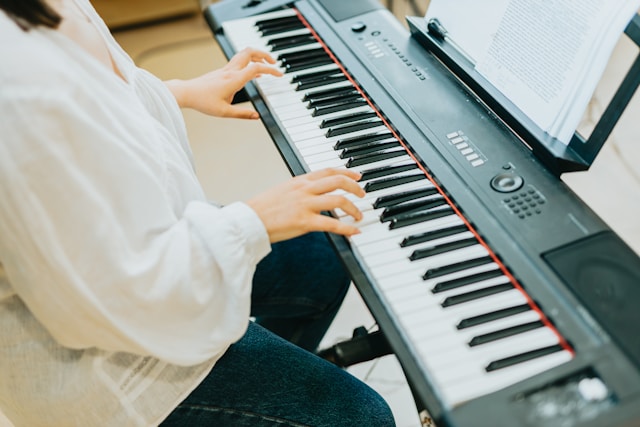
Sight reading is not just a performance skill—it is a learning accelerator. Beginners who develop reading fluency early spend less time decoding notes later and more time shaping musical expression. Instead of struggling through every new piece, they recognize patterns, intervals, and rhythmic structures more quickly.
Developing sight reading early also reduces dependence on repetition and memorization. This makes long-term progress more sustainable and allows learners to explore new music with confidence rather than hesitation.
One of the most common beginner mistakes is playing too fast too soon; newcomers may benefit from reading a broader guide on how to start learning piano from scratch before focusing exclusively on sight reading. Sight reading improves when the brain has time to process notation accurately. Slowing down allows learners to connect written notes to physical movement without panic or guesswork.
A practical rule is to choose a tempo where mistakes are manageable and intentional correction is possible. Accuracy builds recognition; speed follows naturally. Even short, slow sessions—10 to 15 minutes—are more effective than rushed practice.

Large pieces can overwhelm beginners. Breaking music into short phrases helps reduce cognitive load and allows focused attention on specific challenges.
Chunking music this way reinforces pattern recognition and prevents frustration. Over time, familiar techniques require less effort, and learners naturally need less segmentation when reading simpler material.
Many modern learning systems structure exercises this way, but the principle applies equally to traditional sheet music: isolate, understand, then connect.
Mistakes are an inevitable part of sight reading. What matters is how they are handled. Beginners progress faster when errors are treated as information rather than interruptions.
Continuing to play while noting where timing or pitch slips occurred helps maintain flow and prevents anxiety-driven stopping—a concept further explored in discussions about just-in-time learning and flow state in music education. Adjusting tempo or simplifying material after repeated errors is more effective than restarting from the beginning each time. This approach builds resilience and keeps practice productive rather than discouraging.

Rhythm is often more challenging than pitch. Beginners benefit from practicing rhythm intentionally, even away from the keyboard.
Using a metronome at slow tempos helps internalize steady pulse. Counting aloud, tapping rhythms, or clapping patterns before playing reinforces timing awareness. When sight reading, maintaining rhythm—even with occasional wrong notes—is often more musically valuable than stopping to fix pitch.
Some learning tools include built-in metronomes, but the key principle is consistency and control, not complexity.
Sight reading improves most effectively when material is neither too easy nor too difficult. Overly simple exercises limit growth, while overly complex pieces increase frustration.
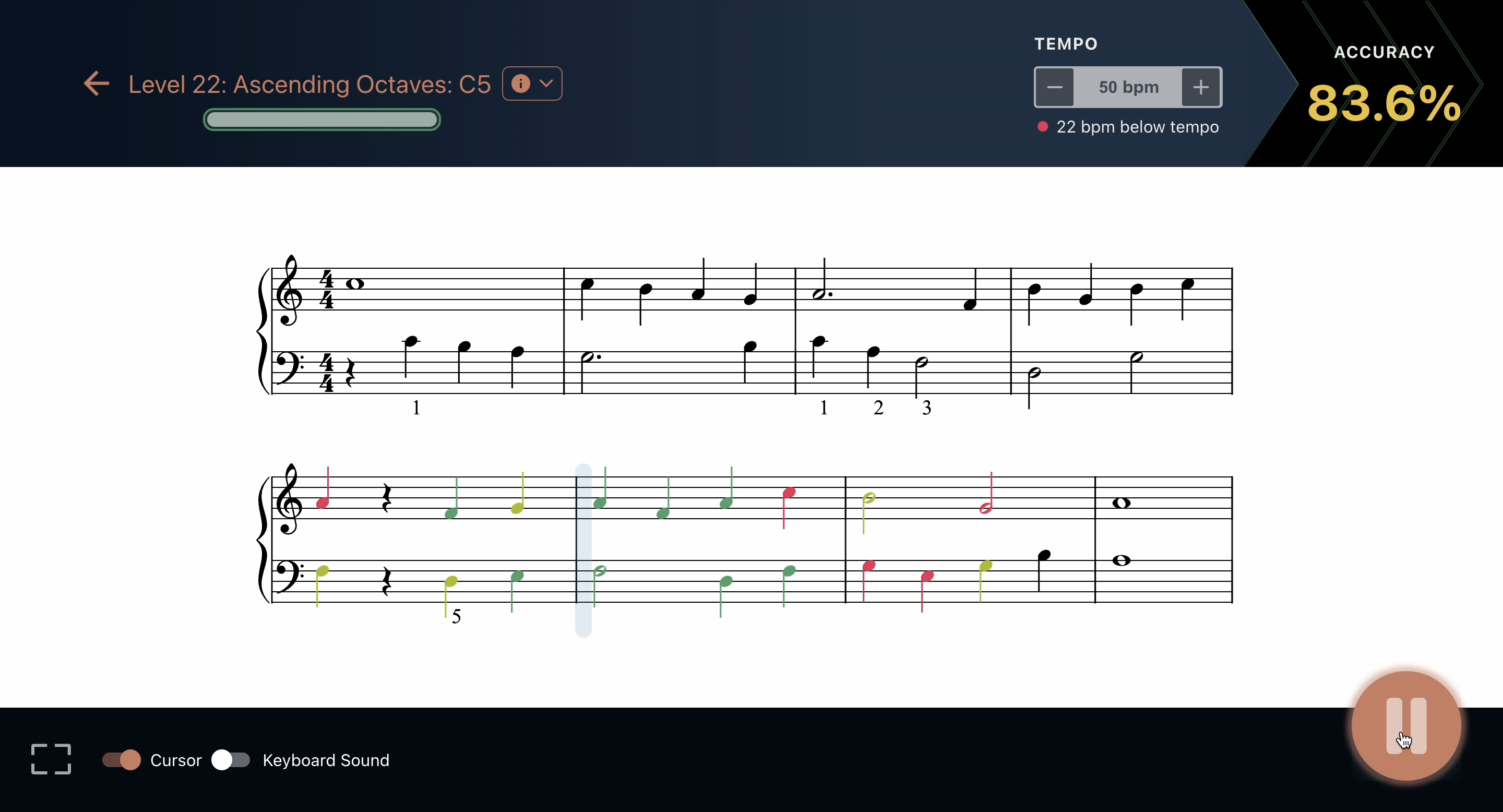
Beginners should feel challenged but capable. If accuracy consistently drops below a comfortable range, difficulty should be reduced. If material feels effortless, progression should increase slightly. This balance supports focused attention and sustained motivation.
Adaptive learning systems can assist with this, but self-assessment works just as well when learners remain attentive and honest.
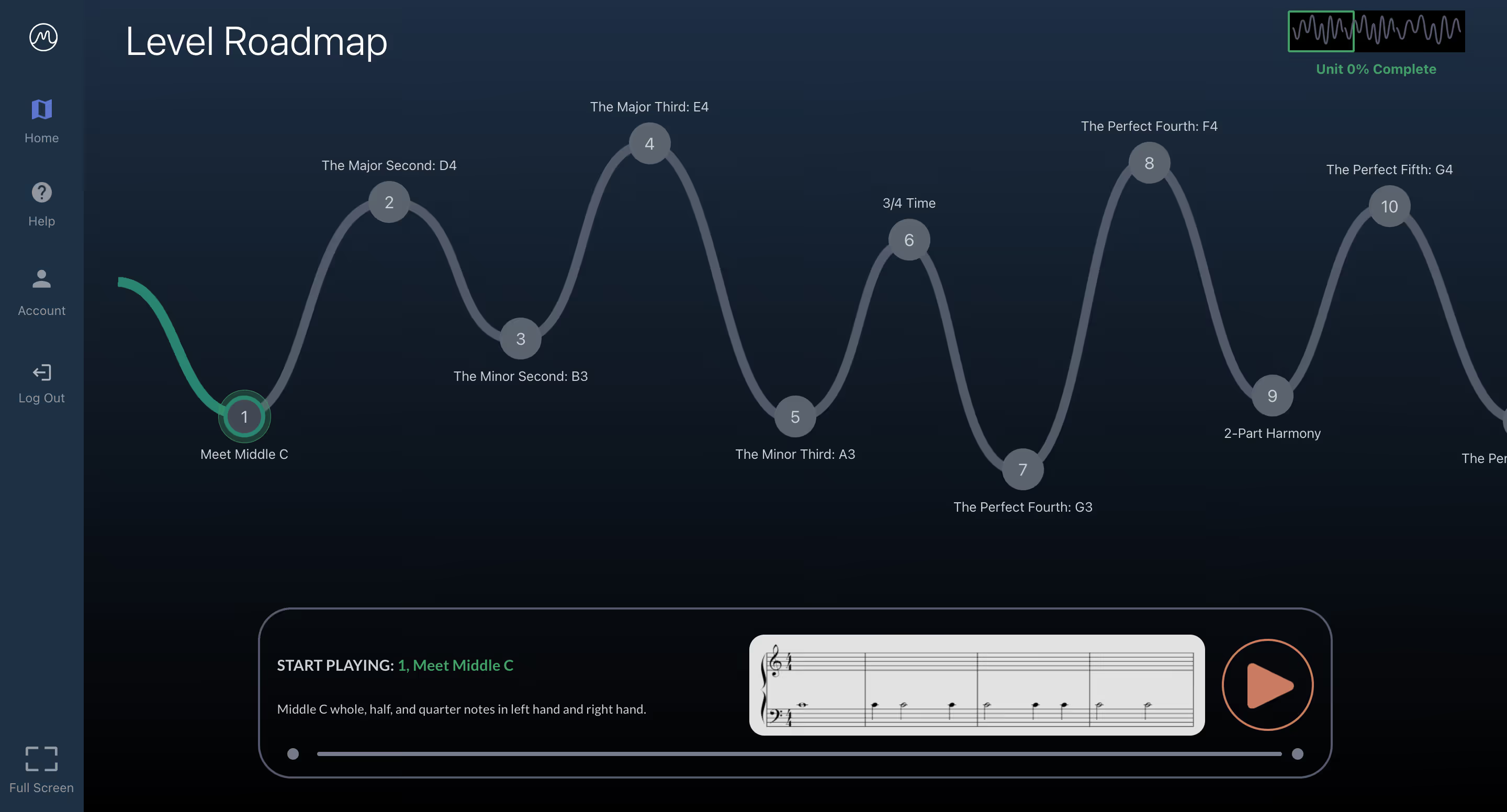
Progress in sight reading often happens gradually. Recognizing small gains—cleaner rhythms, fewer hesitations, better coordination—reinforces motivation.
Many learners experience “aha” moments where concepts suddenly click. Noticing these moments helps build confidence and encourages consistency. Progress is cumulative, and celebrating small wins prevents discouragement during slower phases.
Sustained improvement depends on regular practice. Sight reading should feel challenging but not exhausting. Short, focused sessions are more effective than long, unfocused ones.
Engagement increases when learners approach practice with curiosity rather than judgment, a balance explored further in discussions about empowering beginners through sight reading and flow state. Viewing sight reading as exploration—not evaluation—helps maintain focus and enjoyment, even when material becomes more complex.
Sight reading is a skill built through structure, patience, and consistency—not shortcuts—and music practice can also support creativity and mental well-being as part of a broader learning journey.. Beginners who slow down, focus on accuracy, practice rhythm deliberately, and choose appropriate difficulty develop fluency more reliably than those who rush toward complexity.
Digital platforms such as MuseFlow can support this process by offering structured progression, real-time feedback, and adaptable pacing. However, the underlying principles remain universal and can be applied with or without technology.
By emphasizing progress over perfection and treating mistakes as part of learning, beginners can build sight reading skills that support long-term musical growth and confidence.

Welcome to MuseFlow's glossary of 100+ essential music terms, designed to expand your musical vocabulary, from beginners to seasoned pros.
No matter your preferred genre (whether it's classical masterpieces or modern pop hits), understanding the language of music past and present deepens your understanding of and connection to your favorite songs and the artists who create them.
Explore these music terms and more on the MuseFlow blog. Be sure to bookmark and revisit this page whenever you encounter unfamiliar terminology. We may have it here! And if we don’t, please shoot us a message and we’ll gladly add it.
And now…. let us present to you MuseFlow’s Musician’s Glossary of 100+ Musical Terms. Have fun! Let’s flow.
The 12-bar blues is a chord progression that is most commonly found in blues music. This progression typically uses three chords based on the first (I), fourth (IV), and fifth (V) notes of the scale in which you’re playing.

A cappella (translates to “in the manner of the chapel”) is a style of music where a group of vocalists are singing with no accompanying instruments. Can also be spelled “acapella” or “a capella”.

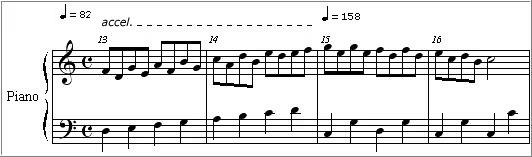
Accelerando (translates to “to accelerate”) is a musical marking/term that indicates a gradual increase in tempo/speed until the next tempo marking is present.
Referring to music or instruments that produce sound without electronic amplification. Used often in folk music or orchestral music. Examples would be acoustic guitar, mandolin, grand piano, violin, clarinet, and upright bass.
Adagio (translates to “at ease”) is a tempo marking that indicates that the music should be played slowly and with a leisurely pace. Usually between 66 and 76 beats per minute (BPM).
Allegro (translates to "cheerful" or "joyful") is a tempo marking indicating a fast and lively pace. Usually between 120 to 168 beats per minute (BPM).
Andante (translates to "to go" or "to walk") is a tempo marking that indicates a moderate tempo or pace. Usually between 76 to 108 beats per minute (BPM).
Arpeggio (translates to "to play on a harp") refers to playing a series of notes of a given chord in succession, as opposed to at the same time. This creates a flowing effect that sounds similar to how a harpist would play the notes of a chord in succession.

Articulation is a large set of musical markings that indicate how individual notes or phrases should be played or sung. Articulation markings can change the attack, duration, and/or release of a note.

A ballad, originating in medieval times referring to their poetry, is a type of song that tells a story… often characterized by a slow tempo and lyrical content. This type of song pops up in many different genres from pop, rock, to jazz and folk.
A bar (or measure) is one of the fundamental building blocks of how music is written and perceived. It’s a segment of time defined by a given number of beats (what we bob our heads to when listening to music), which is determined by the time signature of the piece. This segment repeats, and gives the piece structure.

‘Baritone’ can refer to the pitch/range of an instrument that is generally medium-low. When referring to a male voice, this type of voice lies between the bass and tenor ranges, typically covering notes from A2 to A4. However, a baritone saxophone, which lies between the alto sax and bass sax, has the range of E♭1 to F♯4. Every instrument’s range is different, but a baritone version of that instrument will have a range that is “in the middle” of the other versions.
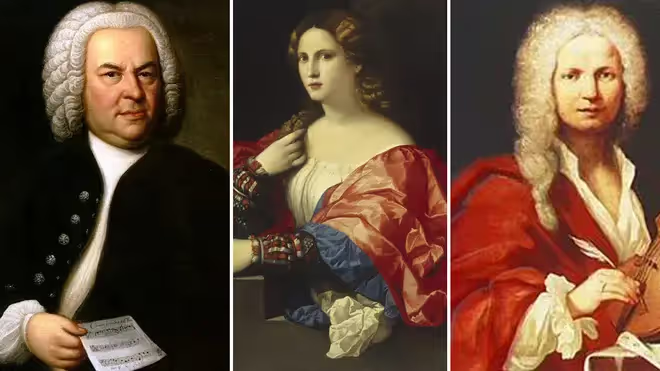
Baroque refers to a style of European classical music that was composed between approximately 1600 and 1750. It’s notable for its interweaving of multiple independent melody lines along with a continuous bass line to provide harmonic support. The dramatic and ornate qualities of Baroque music make it a rich and enduring part of the classical repertoire.
Barre is a technique used in playing stringed instruments, such as guitar, where the player uses one finger to press down multiple strings at the same time. This technique allows the musician to play chords that might otherwise be impossible to finger individually. Additionally, using the index finger as a "bar" across the fretboard allows the player to change the pitch of all the strings and form chords in different positions.

Bass refers to the lowest range of pitches in music, both in voices and instruments. For example, the term can be used to refer to a bass singer (the lowest voice type), a bass guitar, or a double bass. The bass provides the foundation for the harmonic structure of a piece, often anchoring the music and giving it depth.
Breakdown refers to a section of a song where the texture is reduced to create contrast. This momentary reduction in intensity builds anticipation before a return to the full arrangement which often leads to a powerful climax. Stripping away many of the musical layers and leaving, for example, just the rhythm section can also provide an opportunity for musicians to improvise in a jam session or to showcase individual instruments.
Bridge refers to a section of a song that provides contrast to the rest of the composition and typically leads into the final chorus or a key change. Also known as the "middle eight" in some genres, it serves as a departure from the repetitive verse-chorus structure of a song by introducing new melodies, harmonies, or lyrics that add depth and variation.
Cadence refers to a sequence of chords that concludes a phrase, section, or piece of music. They serve as punctuation within a composition in order to shape the flow of a piece and guide the listener through its various sections. There are several types of cadences, including authentic (V-I), half (I-V), and plagal (IV-I), each creating different levels of finality or continuation.
Canon refers to a compositional technique in which a melody is introduced by one voice or instrument and then imitated by others, often in a staggered manner. The weaving together of multiple independent voices or instruments creates harmony and complexity.
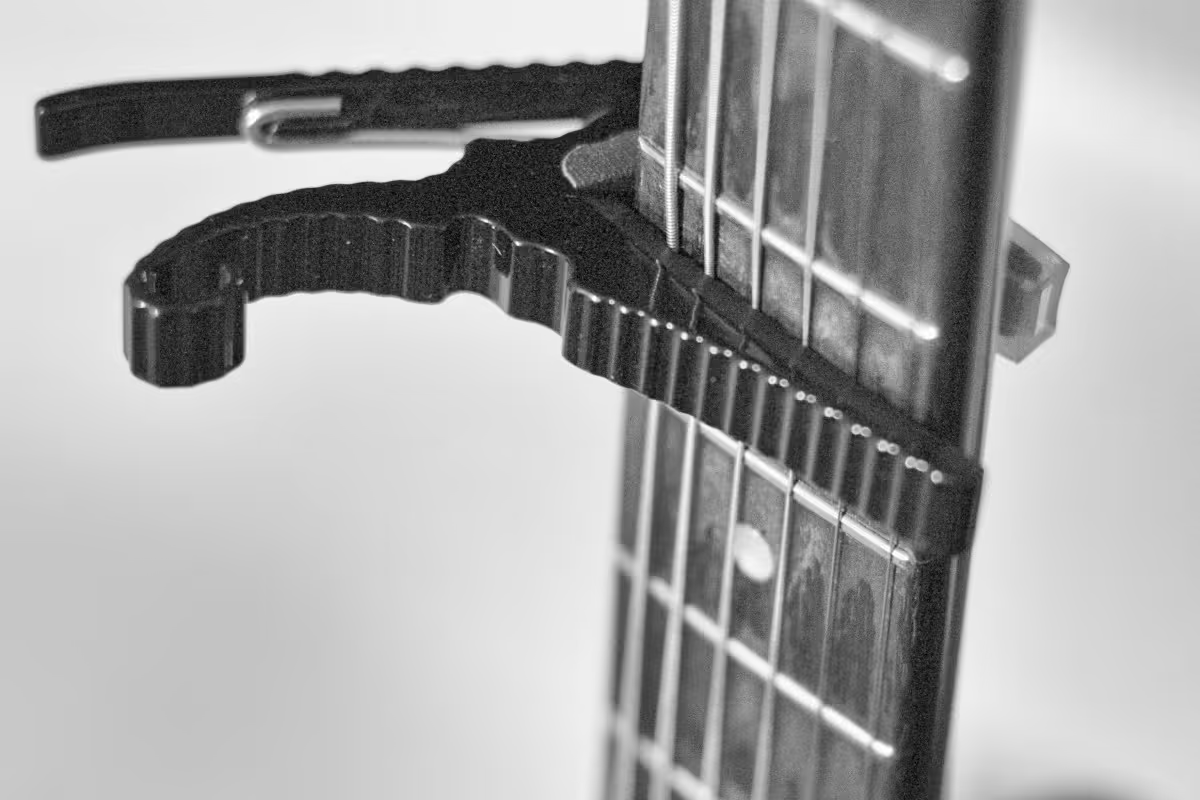
Capo refers to a device that is used on stringed instruments, such as the guitar, to raise the pitch of the strings by clamping it down across the fretboard at a desired fret. The capo allows the musician to easily change the key of a piece without altering the fingering of the chords which is particularly useful for accommodating different vocal ranges or creating a brighter tone.
Chord refers to a combination of three or more notes played simultaneously. They are a fundamental aspect of songwriting and composition and the building blocks of harmony, providing the harmonic context for melodies and contributing to the overall mood of a piece. They can be major, minor, diminished, augmented, or extended, each with its own characteristic sound.
Chorus refers to a repeated section of a song, often featuring the main theme or hook, that contrasts with the verses.
Description: The chorus is typically the most memorable part of a song, designed to be catchy and easy to sing along with. It often contains the song's central message or emotional core, making it a focal point for the listener. In popular music, the chorus usually follows each verse and is characterized by a fuller arrangement, stronger dynamics, and repeated lyrics. The contrast between the verse and chorus adds variety and structure to the song, keeping the listener engaged.
Circle of Fifths is a visual representation of the relationship between the twelve tones of the chromatic scale, their corresponding key signatures, and their relative major and minor keys. The diagram helps musicians visualize the connections between different keys and scales, making it easier to compose, transpose, and improvise music.

Clef refers to a symbol placed at the beginning of a staff in sheet music to indicate the pitch of the notes written on the staff. The most common clefs are the treble clef (G clef), bass clef (F clef), and alto clef (C clef). The treble clef is typically used for higher-pitched instruments and voices, while the bass clef is used for lower-pitched ones.

Coda (translates to “tail”) refers to a concluding section of a piece of music that brings the composition to a formal and satisfying close. A coda, often indicated by a special symbol, guides performers to skip to this section after repeating certain parts of the composition.

Consonance, the opposite of dissonance, refers to a combination of notes that sound harmonious, stable, and pleasant to the ear. Consonant intervals and chords are used to create a sense of resolution. Examples include the intervals of a perfect fifth, major third, or octave.
Counterpoint is a compositional technique that involves the simultaneous combination of two or more independent melodies, creating harmony and complexity. A cornerstone of Western classical music, in counterpoint, each melody, or voice, is rhythmically and harmonically independent but works together to create a cohesive whole.
Crescendo is a musical term indicating a gradual increase in volume or intensity. One of the most powerful tools for building emotion and drama in a piece of music, it can be used to heighten the tension leading up to a climactic moment or to create a sense of growing excitement. Crescendos are often marked with a hairpin symbol (<) or the word "crescendo."

Da capo (translates to "from the head") instructs the performer to return to the beginning of the piece or a section and repeat it. It is often abbreviated to "D.C." in sheet music and is typically followed by "al fine" or "al coda," indicating where the performer should end or jump to a different section after the repeat.

Diatonic (translates to “of the scale”) refers to a set of notes that are within the scale of the piece you’re playing. For example, if you’re playing in C major and were playing diatonically, you’d only play notes in the C major scale.
Dissonance, opposite of consonance, refers to a combination of notes that create tension, instability, or a sense of unresolved conflict in music. Dissonant intervals and chords are those that sound harsh or clash with one another, often evoking feelings of unease or suspense. Common dissonant intervals include the minor second and tritone.
Dolce (translates to "sweetly") is used as an expression to guide the performer to play in a gentle, soft, and tender manner. This often involves playing with a light touch, subtle dynamics, and a warm tone. The dolce marking is commonly found in romantic or lyrical passages where the composer wants to convey a sense of sweetness, innocence, or calm.
Drone refers to a sustained or repeated note or chord that serves as a harmonic or tonal foundation in a piece of music. The continuous sound of the drone creates a sense of stability and grounding, allowing the melody to float above it. The drone’s unchanging pitch contrasts with the more dynamic elements of the music, providing a point of reference for the listener.
Duet refers to a musical composition for two performers, often featuring voices or instruments in harmony or counterpoint. They are a popular form of musical collaboration, allowing two musicians to interact closely. Each performer’s part is typically designed to complement the other, creating a balanced and cohesive whole.
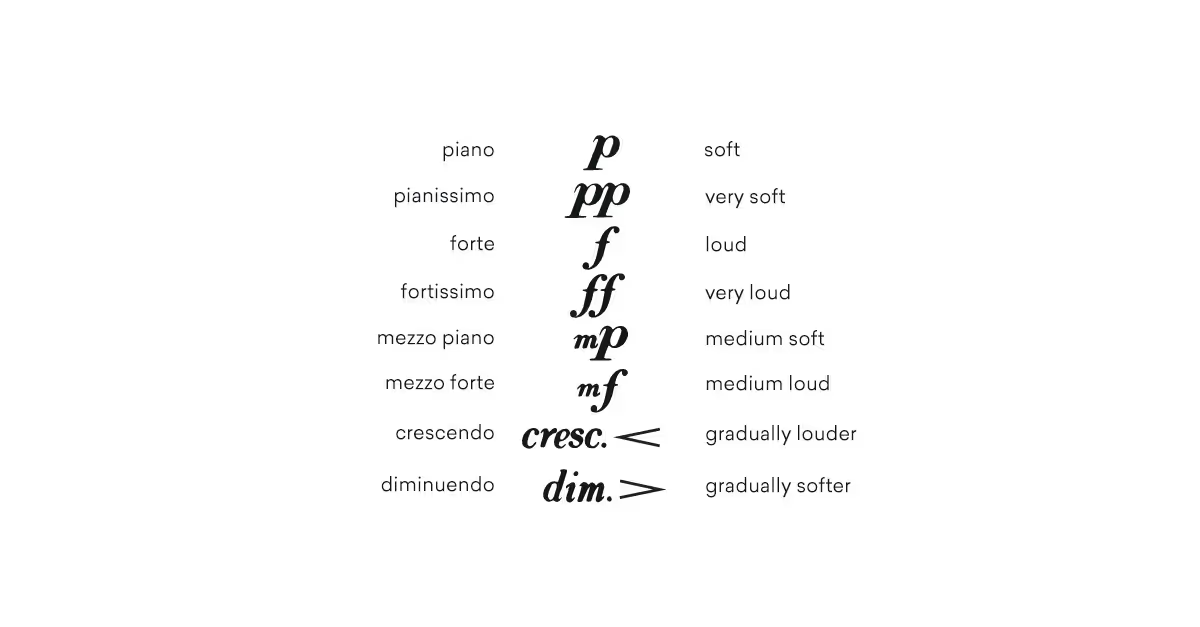
Dynamics in music refer to the variations in loudness or intensity of a sound or passage and are essential for conveying emotion and drama. Common dynamic markings include "piano" (soft), "forte" (loud), "mezzo" (moderate), "crescendo" (gradually getting louder), and "diminuendo" (gradually getting softer). In addition to the written markings, musicians can use dynamic changes as a way to personally interpret a piece when performing.
Elegy refers to a musical composition or poem that is reflective and mournful, often composed in memory of someone who has died. Elegies are characterized by their solemn, contemplative tone and slow tempo. While traditionally associated with mourning, elegies can also celebrate the life and legacy of the person they commemorate.
Encore (translates to “again”) refers to an additional performance given by musicians at the end of a concert, typically in response to audience applause and demand. Usually not listed on the concert program, encores are performed as a gesture of appreciation for the audience's enthusiasm.
Ensemble refers to a group of musicians who perform together, ranging from small groups like duos and quartets to large orchestras or choirs. The term can refer to both the group of musicians and the collective sound they produce. In an ensemble, each member's contribution blends into a cohesive whole, usually led by a conductor.
Etude (translates to “study”) refers to a musical composition designed to improve a specific technical skill on a particular instrument. Each etude focuses on a particular technical challenge, such as finger dexterity, articulation, or dynamic control, helping musicians develop precision, endurance, and expressiveness. They can be performed or used as a training tool.
Falsetto is a vocal technique that allows singers, particularly men, to reach notes higher than their normal vocal range. The falsetto voice sounds distinct from the natural singing voice (a.k.a. chest voice), with a breathy and less resonant quality. It is commonly used to create emotional effects, convey vulnerability, or add variety to the vocal performance.
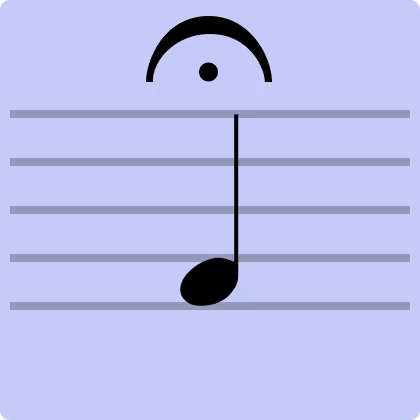
Fermata (also called a “bird’s eye”) refers to a musical symbol placed over a note or rest that indicates that a note, chord, or rest should be held longer than its usual duration for expressive effect. In a performance, a fermata can create a dramatic pause or emphasize a particular moment, adding to the emotional impact of the piece.
Fill refers to a short musical passage played to bridge gaps or transitions between sections of a song, often used in drumming or other rhythm instruments. They can add variation and momentum to a piece by breaking up repetitive patterns before leading into a new section.
Flat refers to a musical symbol (♭) that indicates a note should be lowered by a half step. They are used in both notation and music theory to alter the pitch of notes, making them sound slightly lower. For example, B flat (B♭) is a half step lower than B.

Forte is an Italian musical term meaning "loud" or "strong," used to indicate that a passage should be played with greater volume and intensity. It is often abbreviated as "f" in sheet music and adds power and emphasis, making the music more assertive and commanding.

Groove refers to the sense of rhythmic feel or swing in music, particularly in styles like funk, jazz, and pop, where the interaction between instruments creates a compelling, danceable rhythm. It’s most often driven by the rhythm section in a piece of music.
Harmony is the simultaneous combination of different musical notes or chords, creating a cohesive sound that supports the melody. By layering different pitches, harmony adds depth and richness to a piece and creates chords and progressions that enhance the emotional and structural elements of a composition.
Hook refers to a catchy, memorable musical phrase or riff that stands out and is designed to catch the listener’s ear, often serving as the central theme of a song. It can be a vocal line, a guitar riff, a keyboard melody, or even a rhythmic pattern. Successful hooks are often simple, repetitive, easy to sing along with, and key to making a song resonate with a wide audience.
Improvisation is the spontaneous creation of music during a performance, without pre-composed material or notation. A hallmark of genres like jazz, blues, and rock, improvisation allows musicians to depart from written music to explore new ideas in real-time. It can range from a soloist's extended riff over a chord progression to a full-band jam session.
Interval refers to the distance between two musical notes, measured in steps or half steps on the scale, and play a key role in determining the tonal quality of a piece. Intervals can be harmonic (played simultaneously) or melodic (played in succession) and are categorized by size, such as seconds, thirds, fourths, fifths, and so on.
Intro refers to the opening section of a piece of music, designed to set the mood and introduce key themes or motifs. It can be as simple as a few chords or as complex as a fully orchestrated passage.
Key refers to a group of pitches, or scale, that forms the basis of a music composition. It dictates which notes and chords will be predominant, providing a framework for the melody and harmony. The key signature, indicated at the beginning of a piece of music, shows which notes are to be played as sharps or flats throughout the piece.
Key signature, shown by a set of sharp or flat symbols placed at the beginning of a staff, indicates which notes will be altered throughout the piece without needing to mark each one individually. They also help in identifying modulations, or changes in key, within a piece.
Largo (translates to "slowly" and "broadly") is used to indicate a very slow tempo, typically slower than adagio and andante. When a piece is marked largo, it is meant to be played with a sense of majesty and expansiveness, often evoking solemn or reflective emotions.
Legato (translates to "tied together") is used to describe a smooth, connected style of playing or singing, where each note flows into the next, creating a continuous, uninterrupted line. It can be applied to both instrumental and vocal performances, requiring control over articulation, breath, and phrasing. It’s the opposite of staccato, where notes are played short and detached.

Lyrics are the words of a song, often crafted to convey a specific message, story, or emotion, and set to music. The relationship between lyrics and music can vary—sometimes the music is composed first, with lyrics added later, or vice versa.
Major scale refers to a diatonic scale characterized by a specific pattern of whole and half steps, typically associated with a bright, happy, and uplifting sound. It consists of seven notes with the pattern of whole steps and half steps as follows: W-W-H-W-W-W-H. Major scales are used to build major chords, harmonies, and melodies, and to form the basis for many key signatures.
Melody refers to a sequence of musical notes that are perceived as a single, coherent entity, often serving as the main theme or tune in a piece of music. It’s the part of a song or composition that people usually remember most and consists of a series of pitches played in a specific rhythmic pattern, creating a recognizable and expressive musical line.
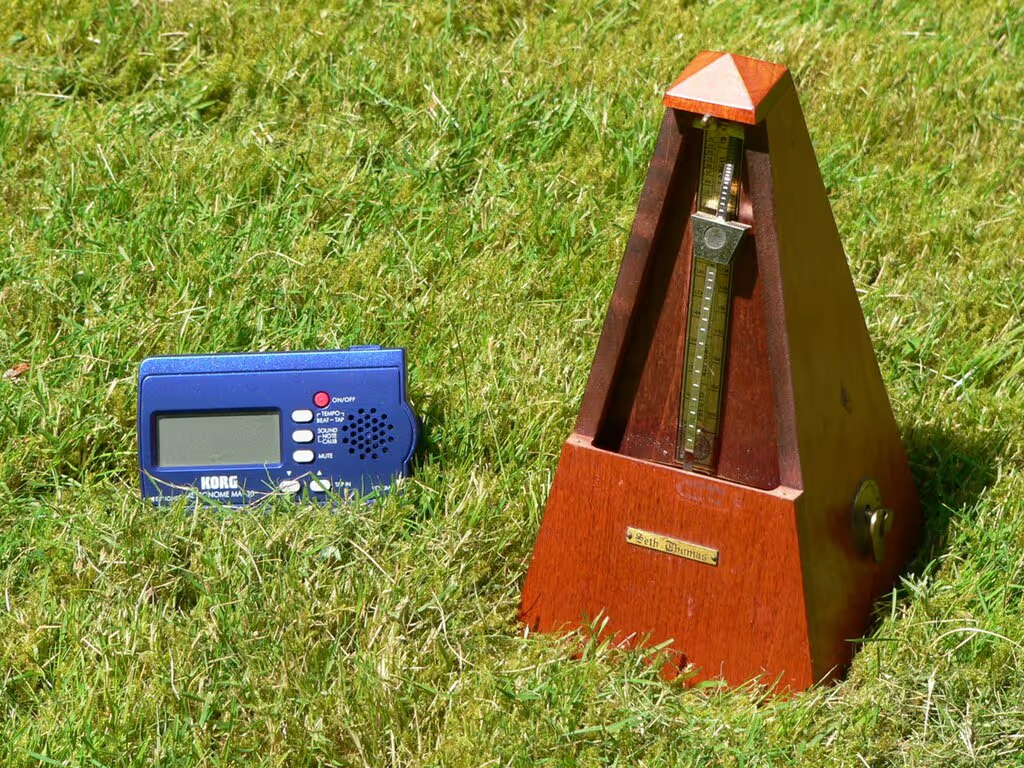
A metronome is a device used by musicians to keep a steady tempo during practice or performance through regular ticks or beeps at a set speed. It can be set to various tempos, measured in beats per minute (BPM), allowing musicians to practice at different speeds.
Minor scale refers to a diatonic scale that has a specific pattern of whole and half steps, typically associated with a sad, melancholic, or somber sound. It consists of seven notes with the pattern of whole steps and half steps as follows: W-H-W-W-H-W-W. Minor scales are used to build minor chords and harmonies, which are often perceived as more introspective.
A minuet is a slow, graceful dance in triple meter, typically composed in 3/4 time. The minuet has a light, elegant feel and is often structured in binary or ternary form. In a suite or symphony, the minuet usually serves as the third movement, providing a contrast to faster or slower movements.
Modulation (often referred to as a “key change”) is the process of changing from one key to another within a piece of music to create contrast, tension, or a sense of progression. It can occur suddenly or gradually, with the new key providing a fresh tonal center and altering the mood or direction of the music.
Motif refers to a short, recurring musical idea, theme, or pattern that is developed and transformed throughout a composition. They serve as the foundation for larger structures like themes, variations, and entire movements. A motif can be as simple as a rhythmic figure, a melodic fragment, or a harmonic progression.
Nocturne refers to a musical composition inspired by or evocative of the night. Popularized by composers like Frédéric Chopin, these compositions often have a lyrical melody supported by a gentle accompaniment, creating a sense of intimacy and introspection.
An octave is the interval between one musical pitch and another with either half or double its frequency. For example, in the C major scale, the note C repeats every eighth note, one octave higher or lower. An octave represents the natural repeating pattern of pitches in a scale. Notes an octave apart are perceived as the same except for being a different pitch.
Opera is a theatrical art form that combines singing, instrumental music, acting, and sometimes dance, to tell a dramatic story, typically performed in an opera house. It’s usually structured in acts, with arias (solo songs), recitatives (sung dialogue), choruses, and orchestral interludes. Similar to a traditional musical, the music is central to the opera’s storytelling.
Outro refers to the concluding section of a piece of music meant to provide a sense of resolution to the composition. It serves as the final impression of a song and can be as simple as a fading repeat of the chorus or a more elaborate section that echoes or contrasts with the rest of the music.
An overture is an instrumental piece played at the beginning of an opera, ballet, concert, etc. It sets the tone for the performance by introducing the musical motifs, moods, and characters that will be developed in the following acts.
Pentatonic scale is a musical scale with five notes per octave, as opposed to the seven notes found in a major or minor scale. Its five notes are usually derived from the major scale by leaving the fourth and seventh degrees out. The simplicity and versatility of the pentatonic scale make it particularly useful for improvisation and melody writing.
Percussion is a family of musical instruments that produce sound by being struck, shaken, or scraped. Percussion instruments include drums, cymbals, tambourines, and marimbas and are used to provide rhythm, texture, and dynamic variation.
Pitch, measured in Hertz (Hz), is the perceived frequency of a sound (i.e. how high or low it is). Notes on a musical scale correspond to specific pitches, and the relationship between pitches defines the structure of scales and chords.
Polyrhythm is the simultaneous combination of contrasting rhythms, usually with different time signatures, in a single musical composition. The technique is used to create complex and layered rhythmic textures. A common polyrhythm is the combination of 3 against 2, where one part plays three notes in the same time that another part plays two.
A prelude is a short musical composition or introductory piece that comes before a larger work or serves as a standalone piece. Historically, preludes were used to introduce a more substantial work, but in modern usage, they can stand alone as independent compositions to showcase the performer’s skill or set the mood for the main piece.
Quartet refers to a musical ensemble consisting of four performers or a composition written for four instruments to create intricate and harmonious interplay between parts.
A reprise is a repetition or return of a previously heard musical theme. Reprises often occur to provide cohesion or thematic unity in a piece, allowing listeners to recognize and connect with earlier musical ideas, perhaps with new context or from a new perspective.
Reverb, short for reverberation, is an effect that simulates the reflections of sound within an environment. In music production and performance, reverb is used to enhance the ambiance and atmosphere of a recording or live sound. It can mimic the acoustic characteristics of different environments, from small rooms to large concert halls.
Rhythm is the pattern of sounds and silences in music, organized into beats and measures, that dictates the movement and pace of a piece.
A riff is a repeated, catchy musical phrase or pattern, typically played by a lead instrument, like a guitar or piano. They tend to be used to create memorable and recognizable hooks and can also serve as a recurring motif throughout a song.
The root is the fundamental note upon which a chord is built. In harmony, the root note determines the chord’s structure and relationship to other chords. For example, in a C major chord, C is the root note, and the chord is built from the notes C, E, and G.
A scale is a sequence of notes arranged in ascending or descending order and spanning an octave. Common types of scales include major, minor, and pentatonic scales. Each scale has a specific pattern of intervals (distances between notes).
A sharp is a musical symbol (#) that raises the pitch of a note by a half step. For example, a C# (C sharp) is one semitone higher than C.
Sheet music is a visual representation of a musical work by showing the notes, rhythms, etc. the performer need to play.
Solfège is a method of sight singing and ear training that uses syllables (do, re, mi, fa, sol, la, ti) to represent the notes of a musical scale. This system helps musicians develop their ability to read and sing music accurately by associating specific syllables with each degree of the scale.
A solo is a musical performance by a single musician. In a solo performance, the musician is typically the primary focus, often performing a specific piece or a section of a larger work with minimal or no accompaniment.
A sonata is a multi-movement musical form or a composition for one or two instruments, typically including three or four movements with distinct characters. It’s structure is typically exposition, development, and restatement, providing a framework for thematic development and contrast.
Soprano refers to the highest vocal range in classical music, typically sung by women or boys with unchanged voices. Sopranos often carry the melody in choral and operatic works due to their bright and resonant sound. The soprano range extends from about middle C to high C or higher.
The staff is the five horizontal lines and four spaces used in musical notation on which notes are placed with each line and space corresponding to a specific note. The staff may be accompanied by clefs (such as treble or bass) to define the pitch range and key signatures to indicate the key of the piece.
A symphony is a large-scale musical composition for orchestra, typically consisting of four movements with contrasting tempos and characters. They are a cornerstone of orchestral repertoire with each movement typically following a traditional structure.
Tablature is a form of musical notation used primarily for string instruments, indicating where to place fingers on the strings rather than specific pitches. It provides a visual guide for which frets to press on which strings.
Tempo is the speed at which a piece of music is performed, typically measured in beats per minute (BPM). It’s used to set the pace for the music with markings, such as “Allegro” (fast) or “Adagio” (slow), guiding performers in interpreting the music at the intended speed.
Tenor refers to a vocal range between the baritone and alto, typically the highest male voice in choral and operatic music and is known for its bright, powerful sound and ability to reach higher pitches. Tenors range extends from approximately C3 to B4.
Tenuto is a mark (a horizontal line above or below the note) that directs performs to give the note more weight or emphasis, holding it for its full value or slightly longer.
Timbre (also known as tone color) is the unique texture of a musical sound that distinguishes it from other sounds of the same pitch and volume. It allows listeners to differentiate between, for example, voices and instruments or an acoustic guitar and an electric guitar, even when they play the same note.
Time signature is a musical notation, indicated at the beginning of a piece of music, that specifies the number of beats per measure and the note value that receives one beat, such as 4/4 or 3/4. The top number shows how many beats are in each measure, while the bottom number indicates which note value (e.g., quarter note, eighth note) gets the beat.
Tone refers to the quality and character of a musical sound, including pitch, timbre, and dynamics. Tone is manipulated to convey emotion and create atmosphere and is influenced by factors such as technique, instrument, and environment.
Transcription is the process of converting music from one format or medium into another, such as from audio recordings to written notation. It involves listening to a piece and accurately notating it, allowing musicians to play music that may not otherwise be available in written form.
Tremolo is a musical technique that involves the rapid repetition of a single note or rapid alternating between two notes to create a shimmering or wavering effect. It can be achieved through rapid bowing on string instruments, rapid striking on percussion, or using electronic effects.
Tritone refers to an interval spanning three whole tones, or six semitones, between two notes. It’s known for its dissonant sound and is sometimes referred to as an augmented fourth or diminished fifth.
A tune is a melody or a sequence of musical notes that is recognizable and often used as the main theme of a composition or song. By being easy to recall, it often serves as the core element of a song or instrumental work.
Tuning refers to the process of adjusting the pitch of an instrument or voice to achieve the correct or desired pitch. Proper tuning allows instruments to sound harmonious and in tune with one another. Tuning can be done using electronic tuners, tuning forks, or by ear.
A verse is a section of a song or composition, typically with lyrics, that follows a repeating pattern and alternates with the chorus. They generally provide narrative or thematic content and have different lyrics each time they are repeated, contrasting with the chorus, which typically remains the same.
Vibrato is a musical technique involving a slight, rapid variation in pitch. It’s achieved by oscillating the pitch of a note slightly up and down, creating a subtle trembling effect.
A virtuoso is a highly skilled and accomplished musician who demonstrates exceptional technical ability and artistry in their performance. They are recognized for their extraordinary talent, performing complex and demanding works with ease generally as a result of years of dedicated study.


Keep up to date on our progress as we continue to add new features!