Adult Learning
Beginners
Curriculum
Flow State
Self-Improvement
Essential Sight Reading Tips for Beginners: Starting: A Practical Starting Guide
November 2, 2024

Sight reading is one of the most important foundational skills for pianists, and adult learners just starting out may benefit from a broader overview of the best ways to learn piano as an adult. It allows musicians to approach unfamiliar sheet music and play with continuity rather than relying solely on memorization. Strong sight reading skills open the door to broader repertoire, faster learning, and greater musical independence.
For beginners, however, sight reading can feel intimidating, leading many to ask about the most beginner-friendly piano learning apps that can support structured progression. Notes, rhythm, coordination, and timing all compete for attention at once. The good news is that progress does not depend on talent or speed, but on how practice is structured. With the right approach, beginners can develop sight reading skills steadily and with less frustration.
The following principles outline how to start sight reading effectively, regardless of whether you are learning independently, with a teacher, or using a digital learning platform.
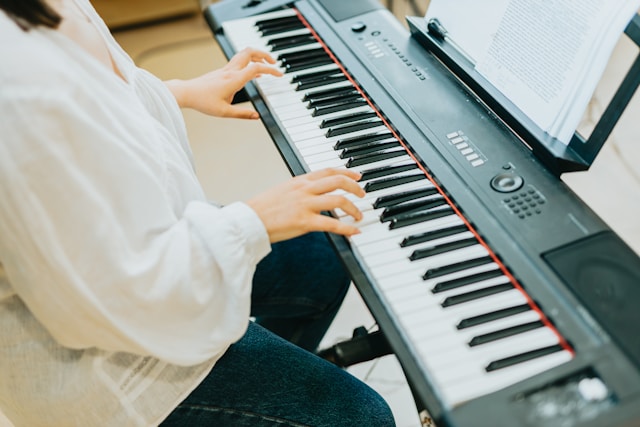
Sight reading is not just a performance skill—it is a learning accelerator. Beginners who develop reading fluency early spend less time decoding notes later and more time shaping musical expression. Instead of struggling through every new piece, they recognize patterns, intervals, and rhythmic structures more quickly.
Developing sight reading early also reduces dependence on repetition and memorization. This makes long-term progress more sustainable and allows learners to explore new music with confidence rather than hesitation.
One of the most common beginner mistakes is playing too fast too soon; newcomers may benefit from reading a broader guide on how to start learning piano from scratch before focusing exclusively on sight reading. Sight reading improves when the brain has time to process notation accurately. Slowing down allows learners to connect written notes to physical movement without panic or guesswork.
A practical rule is to choose a tempo where mistakes are manageable and intentional correction is possible. Accuracy builds recognition; speed follows naturally. Even short, slow sessions—10 to 15 minutes—are more effective than rushed practice.

Large pieces can overwhelm beginners. Breaking music into short phrases helps reduce cognitive load and allows focused attention on specific challenges.
Chunking music this way reinforces pattern recognition and prevents frustration. Over time, familiar techniques require less effort, and learners naturally need less segmentation when reading simpler material.
Many modern learning systems structure exercises this way, but the principle applies equally to traditional sheet music: isolate, understand, then connect.
Mistakes are an inevitable part of sight reading. What matters is how they are handled. Beginners progress faster when errors are treated as information rather than interruptions.
Continuing to play while noting where timing or pitch slips occurred helps maintain flow and prevents anxiety-driven stopping—a concept further explored in discussions about just-in-time learning and flow state in music education. Adjusting tempo or simplifying material after repeated errors is more effective than restarting from the beginning each time. This approach builds resilience and keeps practice productive rather than discouraging.

Rhythm is often more challenging than pitch. Beginners benefit from practicing rhythm intentionally, even away from the keyboard.
Using a metronome at slow tempos helps internalize steady pulse. Counting aloud, tapping rhythms, or clapping patterns before playing reinforces timing awareness. When sight reading, maintaining rhythm—even with occasional wrong notes—is often more musically valuable than stopping to fix pitch.
Some learning tools include built-in metronomes, but the key principle is consistency and control, not complexity.
Sight reading improves most effectively when material is neither too easy nor too difficult. Overly simple exercises limit growth, while overly complex pieces increase frustration.
Beginners should feel challenged but capable. If accuracy consistently drops below a comfortable range, difficulty should be reduced. If material feels effortless, progression should increase slightly. This balance supports focused attention and sustained motivation.
Adaptive learning systems can assist with this, but self-assessment works just as well when learners remain attentive and honest.
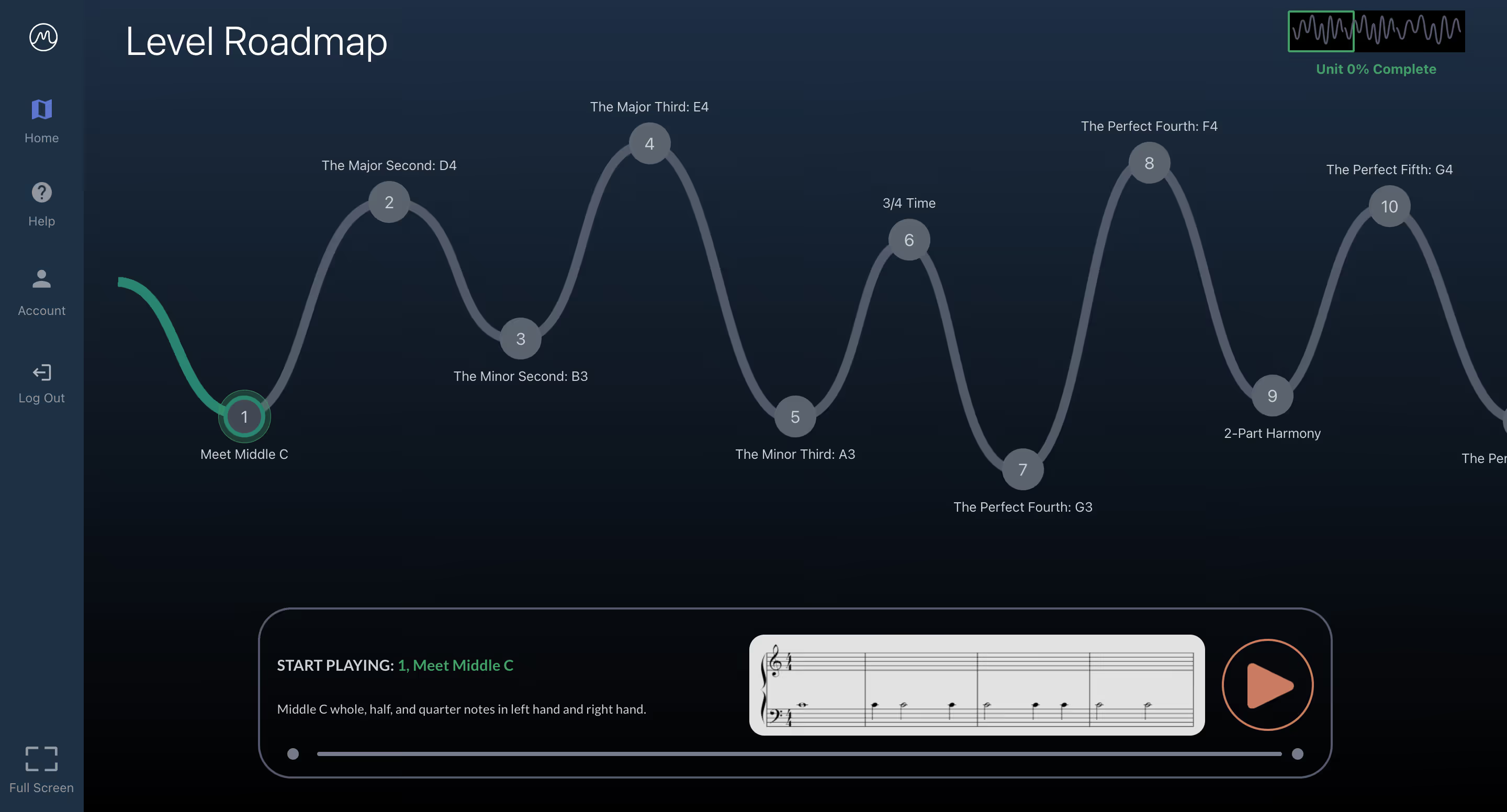
Progress in sight reading often happens gradually. Recognizing small gains—cleaner rhythms, fewer hesitations, better coordination—reinforces motivation.
Many learners experience “aha” moments where concepts suddenly click. Noticing these moments helps build confidence and encourages consistency. Progress is cumulative, and celebrating small wins prevents discouragement during slower phases.
.png)
Sustained improvement depends on regular practice. Sight reading should feel challenging but not exhausting. Short, focused sessions are more effective than long, unfocused ones.
Engagement increases when learners approach practice with curiosity rather than judgment, a balance explored further in discussions about empowering beginners through sight reading and flow state. Viewing sight reading as exploration—not evaluation—helps maintain focus and enjoyment, even when material becomes more complex.
Sight reading is a skill built through structure, patience, and consistency—not shortcuts—and music practice can also support creativity and mental well-being as part of a broader learning journey.. Beginners who slow down, focus on accuracy, practice rhythm deliberately, and choose appropriate difficulty develop fluency more reliably than those who rush toward complexity.
Digital platforms such as MuseFlow can support this process by offering structured progression, real-time feedback, and adaptable pacing. However, the underlying principles remain universal and can be applied with or without technology.
By emphasizing progress over perfection and treating mistakes as part of learning, beginners can build sight reading skills that support long-term musical growth and confidence.

Let’s talk about the last time you felt anxious, overwhelmed, or sad. Maybe you were grieving the end of a relationship or the loss of a pet. Maybe you were struggling with the change of seasons or shifting family dynamics. These experiences are tough, and it can be hard to cope.
Now let’s think about the tools you used to manage those emotions. Did music play even a small role in helping you feel better?
If it didn’t, it probably could have—because both listening to and playing music can offer comfort when talking alone can’t. Music soothes us when we’re stressed and instills hope when we’re depressed, restless, or simply interested in self-improvement. Piano learning apps could be a solid place to start.
We’ll talk about one of the best piano learning apps shortly. First, let’s discuss the link between music and mental health.

The secret is out, and music can 100% help us regulate our emotions. Before we talk about what that looks like, consider Merriam-Webster’s definition of music:
a: vocal, instrumental, or mechanical sounds having rhythm, melody, or harmony
b: the science or art of ordering tones or sounds in succession, in combination, and in temporal relationships to produce a composition having unity and continuity
The verdict is in, and by definition, music is both an art and a science. It also promotes unity and has a soothing effect on the body. This is because music reaches deep into the endocrine system, which produces the hormones that impact how we feel. So when we play or listen to music, the body triggers the release of dopamine—the feel-good hormone responsible for pleasure and reward.
“I don’t think I’ve ever been this good at reading music. It never made sense to me before.” – Arjuna C., MuseFlow (a piano learning app) student
At the same time, music lowers cortisol, the stress hormone, making us feel calmer and more at ease. It can even improve our immune health by increasing levels of an important antibody, salivary immunoglobulin A, which offers protection from illness. And another study found that playing or listening to music at 60 beats per minute can induce a state of relaxation by driving alpha wave activity. (Alpha waves are associated with wakeful relaxation, which helps the brain unwind and fuels mental clarity.)
It’s no wonder that in therapeutic settings, experts use music to help clients process their emotions. Techniques like guided listening and music improvisation allow people to access their feelings and memories in ways that might be difficult to articulate verbally. From where we’re standing, it makes total sense that 71% of surveyed adults cited music as the greatest influence on their mood. After all, creativity makes us feel good.

Listening to music is powerful—but playing music can have an even greater impact. Learning to play an instrument like the piano is a solid way to get your creative juices flowing. You see, learning new things that are right outside your skill level challenge the brain to think in new ways: finding patterns, making connections, and ultimately achieving a flow state. This helps us break free from linear thinking and fully embrace creative problem-solving.
“Let’s go!! Kept myself in the flow state by first dropping the tempo so it wouldn’t be too frustrating, then got comfortable, then before it became too easy to the point of boring I reattempted it at goal tempo and I passed. What a rush of dopamine from completing the level that initially I couldn’t do!!” – Kyle L., MuseFlow student
From a neuroscience standpoint, learning an instrument like the piano activates several areas of the brain all at once. AI piano teaching apps like MuseFlow, for instance, engage the prefrontal cortex—responsible for planning and decision-making—along with the motor cortex and auditory system. This helps improve emotional regulation and unlocks creativity.
Fortunately, platforms like MuseFlow are making it easier than ever to learn the piano and unlock your full creative potential. Regardless of your skill level, piano training apps will give you space to clear your mind and grow creatively.

Thanks to technology, engaging with music has never been more accessible—or more innovative. Piano practice apps like MuseFlow, recognized as one of the best piano apps of 2026, are transforming how we learn and experience music. These tools let people explore their creativity in ways that traditional methods might not.
For instance, piano lesson apps can guide students step-by-step through learning an instrument, complete with personalized feedback and positive encouragement. This real-time interaction builds confidence and creativity. Then, when. you’ve mastered a skill within this game-like environment, you can apply those skills to songs that get unlocked after you pass each level. not to mention, this approach also supports each user’s mental wellness.
“Any success I achieve is its own reward. Just having moved to the next higher level, I feel good and surprised that it went so quickly. That’s a plus!” – Dennis L., MuseFlow student
And technologies like interactive piano lesson apps break down barriers to access too. With MuseFlow’s intuitive design and seamless user experience, anyone can start learning the piano from the comfort of their home—completely at their own pace. Together, music and technology are making creativity and well-being more accessible than ever.
So why not take the first step toward a healthier, more creative life? Start your seven-day free trial today and learn the piano through personalized sight reading with MuseFlow. You’ll also tap into the creative and therapeutic benefits of music.

Welcome to MuseFlow's glossary of 100+ essential music terms, designed to expand your musical vocabulary, from beginners to seasoned pros.
No matter your preferred genre (whether it's classical masterpieces or modern pop hits), understanding the language of music past and present deepens your understanding of and connection to your favorite songs and the artists who create them.
Explore these music terms and more on the MuseFlow blog. Be sure to bookmark and revisit this page whenever you encounter unfamiliar terminology. We may have it here! And if we don’t, please shoot us a message and we’ll gladly add it.
And now…. let us present to you MuseFlow’s Musician’s Glossary of 100+ Musical Terms. Have fun! Let’s flow.
The 12-bar blues is a chord progression that is most commonly found in blues music. This progression typically uses three chords based on the first (I), fourth (IV), and fifth (V) notes of the scale in which you’re playing.

A cappella (translates to “in the manner of the chapel”) is a style of music where a group of vocalists are singing with no accompanying instruments. Can also be spelled “acapella” or “a capella”.

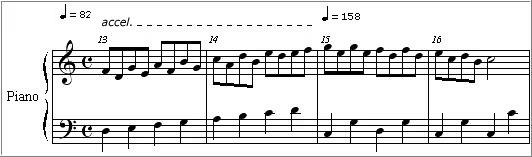
Accelerando (translates to “to accelerate”) is a musical marking/term that indicates a gradual increase in tempo/speed until the next tempo marking is present.
Referring to music or instruments that produce sound without electronic amplification. Used often in folk music or orchestral music. Examples would be acoustic guitar, mandolin, grand piano, violin, clarinet, and upright bass.
Adagio (translates to “at ease”) is a tempo marking that indicates that the music should be played slowly and with a leisurely pace. Usually between 66 and 76 beats per minute (BPM).
Allegro (translates to "cheerful" or "joyful") is a tempo marking indicating a fast and lively pace. Usually between 120 to 168 beats per minute (BPM).
Andante (translates to "to go" or "to walk") is a tempo marking that indicates a moderate tempo or pace. Usually between 76 to 108 beats per minute (BPM).
Arpeggio (translates to "to play on a harp") refers to playing a series of notes of a given chord in succession, as opposed to at the same time. This creates a flowing effect that sounds similar to how a harpist would play the notes of a chord in succession.

Articulation is a large set of musical markings that indicate how individual notes or phrases should be played or sung. Articulation markings can change the attack, duration, and/or release of a note.

A ballad, originating in medieval times referring to their poetry, is a type of song that tells a story… often characterized by a slow tempo and lyrical content. This type of song pops up in many different genres from pop, rock, to jazz and folk.
A bar (or measure) is one of the fundamental building blocks of how music is written and perceived. It’s a segment of time defined by a given number of beats (what we bob our heads to when listening to music), which is determined by the time signature of the piece. This segment repeats, and gives the piece structure.

‘Baritone’ can refer to the pitch/range of an instrument that is generally medium-low. When referring to a male voice, this type of voice lies between the bass and tenor ranges, typically covering notes from A2 to A4. However, a baritone saxophone, which lies between the alto sax and bass sax, has the range of E♭1 to F♯4. Every instrument’s range is different, but a baritone version of that instrument will have a range that is “in the middle” of the other versions.
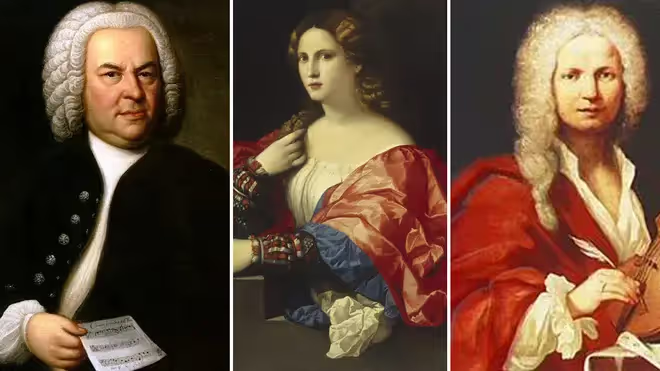
Baroque refers to a style of European classical music that was composed between approximately 1600 and 1750. It’s notable for its interweaving of multiple independent melody lines along with a continuous bass line to provide harmonic support. The dramatic and ornate qualities of Baroque music make it a rich and enduring part of the classical repertoire.
Barre is a technique used in playing stringed instruments, such as guitar, where the player uses one finger to press down multiple strings at the same time. This technique allows the musician to play chords that might otherwise be impossible to finger individually. Additionally, using the index finger as a "bar" across the fretboard allows the player to change the pitch of all the strings and form chords in different positions.

Bass refers to the lowest range of pitches in music, both in voices and instruments. For example, the term can be used to refer to a bass singer (the lowest voice type), a bass guitar, or a double bass. The bass provides the foundation for the harmonic structure of a piece, often anchoring the music and giving it depth.
Breakdown refers to a section of a song where the texture is reduced to create contrast. This momentary reduction in intensity builds anticipation before a return to the full arrangement which often leads to a powerful climax. Stripping away many of the musical layers and leaving, for example, just the rhythm section can also provide an opportunity for musicians to improvise in a jam session or to showcase individual instruments.
Bridge refers to a section of a song that provides contrast to the rest of the composition and typically leads into the final chorus or a key change. Also known as the "middle eight" in some genres, it serves as a departure from the repetitive verse-chorus structure of a song by introducing new melodies, harmonies, or lyrics that add depth and variation.
Cadence refers to a sequence of chords that concludes a phrase, section, or piece of music. They serve as punctuation within a composition in order to shape the flow of a piece and guide the listener through its various sections. There are several types of cadences, including authentic (V-I), half (I-V), and plagal (IV-I), each creating different levels of finality or continuation.
Canon refers to a compositional technique in which a melody is introduced by one voice or instrument and then imitated by others, often in a staggered manner. The weaving together of multiple independent voices or instruments creates harmony and complexity.
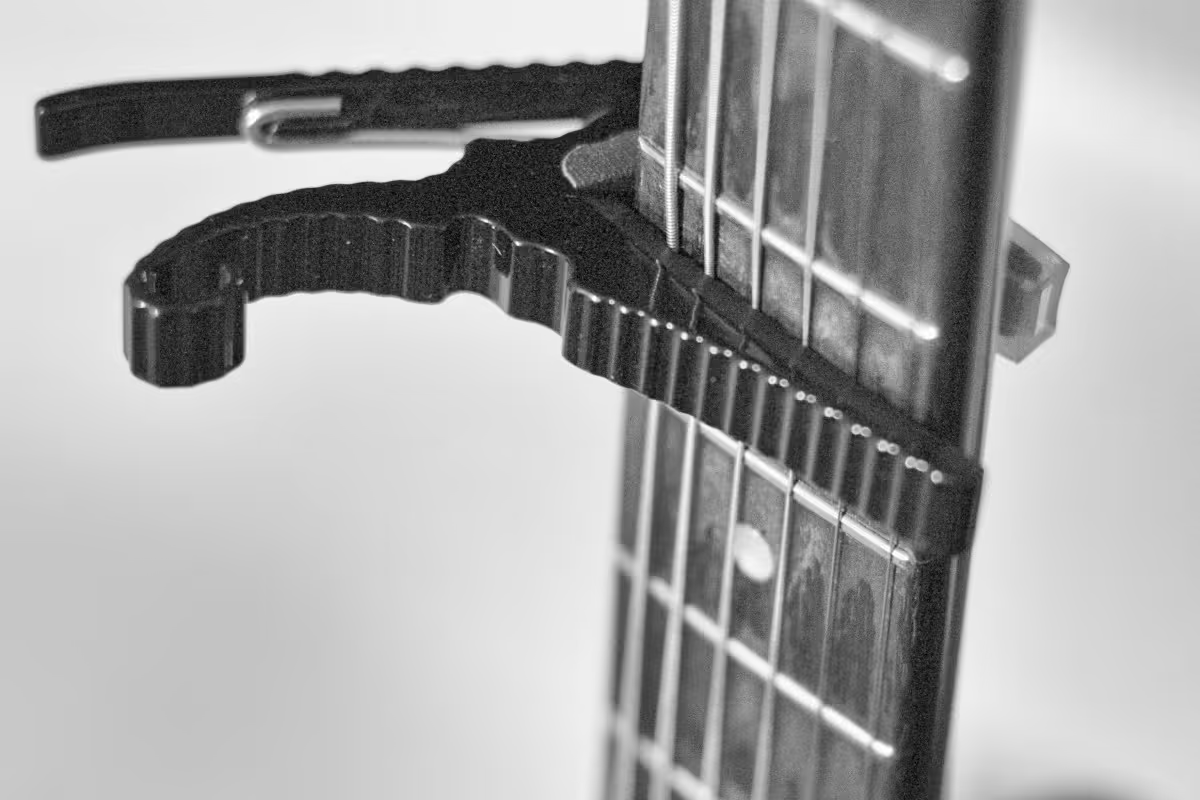
Capo refers to a device that is used on stringed instruments, such as the guitar, to raise the pitch of the strings by clamping it down across the fretboard at a desired fret. The capo allows the musician to easily change the key of a piece without altering the fingering of the chords which is particularly useful for accommodating different vocal ranges or creating a brighter tone.
Chord refers to a combination of three or more notes played simultaneously. They are a fundamental aspect of songwriting and composition and the building blocks of harmony, providing the harmonic context for melodies and contributing to the overall mood of a piece. They can be major, minor, diminished, augmented, or extended, each with its own characteristic sound.
Chorus refers to a repeated section of a song, often featuring the main theme or hook, that contrasts with the verses.
Description: The chorus is typically the most memorable part of a song, designed to be catchy and easy to sing along with. It often contains the song's central message or emotional core, making it a focal point for the listener. In popular music, the chorus usually follows each verse and is characterized by a fuller arrangement, stronger dynamics, and repeated lyrics. The contrast between the verse and chorus adds variety and structure to the song, keeping the listener engaged.
Circle of Fifths is a visual representation of the relationship between the twelve tones of the chromatic scale, their corresponding key signatures, and their relative major and minor keys. The diagram helps musicians visualize the connections between different keys and scales, making it easier to compose, transpose, and improvise music.

Clef refers to a symbol placed at the beginning of a staff in sheet music to indicate the pitch of the notes written on the staff. The most common clefs are the treble clef (G clef), bass clef (F clef), and alto clef (C clef). The treble clef is typically used for higher-pitched instruments and voices, while the bass clef is used for lower-pitched ones.

Coda (translates to “tail”) refers to a concluding section of a piece of music that brings the composition to a formal and satisfying close. A coda, often indicated by a special symbol, guides performers to skip to this section after repeating certain parts of the composition.

Consonance, the opposite of dissonance, refers to a combination of notes that sound harmonious, stable, and pleasant to the ear. Consonant intervals and chords are used to create a sense of resolution. Examples include the intervals of a perfect fifth, major third, or octave.
Counterpoint is a compositional technique that involves the simultaneous combination of two or more independent melodies, creating harmony and complexity. A cornerstone of Western classical music, in counterpoint, each melody, or voice, is rhythmically and harmonically independent but works together to create a cohesive whole.
Crescendo is a musical term indicating a gradual increase in volume or intensity. One of the most powerful tools for building emotion and drama in a piece of music, it can be used to heighten the tension leading up to a climactic moment or to create a sense of growing excitement. Crescendos are often marked with a hairpin symbol (<) or the word "crescendo."

Da capo (translates to "from the head") instructs the performer to return to the beginning of the piece or a section and repeat it. It is often abbreviated to "D.C." in sheet music and is typically followed by "al fine" or "al coda," indicating where the performer should end or jump to a different section after the repeat.

Diatonic (translates to “of the scale”) refers to a set of notes that are within the scale of the piece you’re playing. For example, if you’re playing in C major and were playing diatonically, you’d only play notes in the C major scale.
Dissonance, opposite of consonance, refers to a combination of notes that create tension, instability, or a sense of unresolved conflict in music. Dissonant intervals and chords are those that sound harsh or clash with one another, often evoking feelings of unease or suspense. Common dissonant intervals include the minor second and tritone.
Dolce (translates to "sweetly") is used as an expression to guide the performer to play in a gentle, soft, and tender manner. This often involves playing with a light touch, subtle dynamics, and a warm tone. The dolce marking is commonly found in romantic or lyrical passages where the composer wants to convey a sense of sweetness, innocence, or calm.
Drone refers to a sustained or repeated note or chord that serves as a harmonic or tonal foundation in a piece of music. The continuous sound of the drone creates a sense of stability and grounding, allowing the melody to float above it. The drone’s unchanging pitch contrasts with the more dynamic elements of the music, providing a point of reference for the listener.
Duet refers to a musical composition for two performers, often featuring voices or instruments in harmony or counterpoint. They are a popular form of musical collaboration, allowing two musicians to interact closely. Each performer’s part is typically designed to complement the other, creating a balanced and cohesive whole.
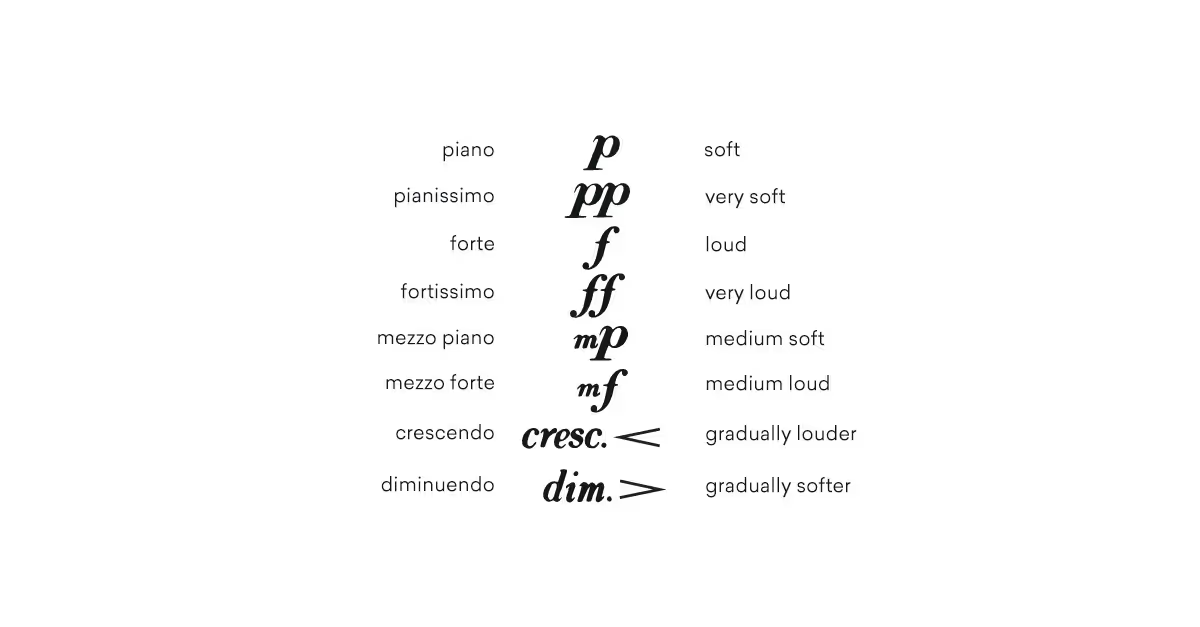
Dynamics in music refer to the variations in loudness or intensity of a sound or passage and are essential for conveying emotion and drama. Common dynamic markings include "piano" (soft), "forte" (loud), "mezzo" (moderate), "crescendo" (gradually getting louder), and "diminuendo" (gradually getting softer). In addition to the written markings, musicians can use dynamic changes as a way to personally interpret a piece when performing.
Elegy refers to a musical composition or poem that is reflective and mournful, often composed in memory of someone who has died. Elegies are characterized by their solemn, contemplative tone and slow tempo. While traditionally associated with mourning, elegies can also celebrate the life and legacy of the person they commemorate.
Encore (translates to “again”) refers to an additional performance given by musicians at the end of a concert, typically in response to audience applause and demand. Usually not listed on the concert program, encores are performed as a gesture of appreciation for the audience's enthusiasm.
Ensemble refers to a group of musicians who perform together, ranging from small groups like duos and quartets to large orchestras or choirs. The term can refer to both the group of musicians and the collective sound they produce. In an ensemble, each member's contribution blends into a cohesive whole, usually led by a conductor.
Etude (translates to “study”) refers to a musical composition designed to improve a specific technical skill on a particular instrument. Each etude focuses on a particular technical challenge, such as finger dexterity, articulation, or dynamic control, helping musicians develop precision, endurance, and expressiveness. They can be performed or used as a training tool.
Falsetto is a vocal technique that allows singers, particularly men, to reach notes higher than their normal vocal range. The falsetto voice sounds distinct from the natural singing voice (a.k.a. chest voice), with a breathy and less resonant quality. It is commonly used to create emotional effects, convey vulnerability, or add variety to the vocal performance.
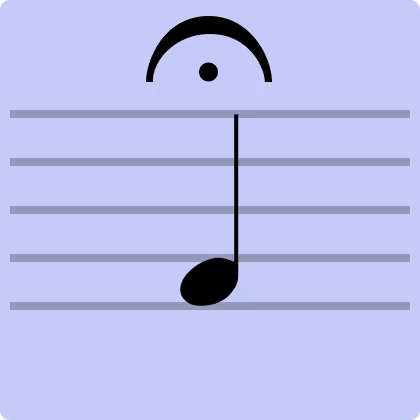
Fermata (also called a “bird’s eye”) refers to a musical symbol placed over a note or rest that indicates that a note, chord, or rest should be held longer than its usual duration for expressive effect. In a performance, a fermata can create a dramatic pause or emphasize a particular moment, adding to the emotional impact of the piece.
Fill refers to a short musical passage played to bridge gaps or transitions between sections of a song, often used in drumming or other rhythm instruments. They can add variation and momentum to a piece by breaking up repetitive patterns before leading into a new section.
Flat refers to a musical symbol (♭) that indicates a note should be lowered by a half step. They are used in both notation and music theory to alter the pitch of notes, making them sound slightly lower. For example, B flat (B♭) is a half step lower than B.

Forte is an Italian musical term meaning "loud" or "strong," used to indicate that a passage should be played with greater volume and intensity. It is often abbreviated as "f" in sheet music and adds power and emphasis, making the music more assertive and commanding.

Groove refers to the sense of rhythmic feel or swing in music, particularly in styles like funk, jazz, and pop, where the interaction between instruments creates a compelling, danceable rhythm. It’s most often driven by the rhythm section in a piece of music.
Harmony is the simultaneous combination of different musical notes or chords, creating a cohesive sound that supports the melody. By layering different pitches, harmony adds depth and richness to a piece and creates chords and progressions that enhance the emotional and structural elements of a composition.
Hook refers to a catchy, memorable musical phrase or riff that stands out and is designed to catch the listener’s ear, often serving as the central theme of a song. It can be a vocal line, a guitar riff, a keyboard melody, or even a rhythmic pattern. Successful hooks are often simple, repetitive, easy to sing along with, and key to making a song resonate with a wide audience.
Improvisation is the spontaneous creation of music during a performance, without pre-composed material or notation. A hallmark of genres like jazz, blues, and rock, improvisation allows musicians to depart from written music to explore new ideas in real-time. It can range from a soloist's extended riff over a chord progression to a full-band jam session.
Interval refers to the distance between two musical notes, measured in steps or half steps on the scale, and play a key role in determining the tonal quality of a piece. Intervals can be harmonic (played simultaneously) or melodic (played in succession) and are categorized by size, such as seconds, thirds, fourths, fifths, and so on.
Intro refers to the opening section of a piece of music, designed to set the mood and introduce key themes or motifs. It can be as simple as a few chords or as complex as a fully orchestrated passage.
Key refers to a group of pitches, or scale, that forms the basis of a music composition. It dictates which notes and chords will be predominant, providing a framework for the melody and harmony. The key signature, indicated at the beginning of a piece of music, shows which notes are to be played as sharps or flats throughout the piece.
Key signature, shown by a set of sharp or flat symbols placed at the beginning of a staff, indicates which notes will be altered throughout the piece without needing to mark each one individually. They also help in identifying modulations, or changes in key, within a piece.
Largo (translates to "slowly" and "broadly") is used to indicate a very slow tempo, typically slower than adagio and andante. When a piece is marked largo, it is meant to be played with a sense of majesty and expansiveness, often evoking solemn or reflective emotions.
Legato (translates to "tied together") is used to describe a smooth, connected style of playing or singing, where each note flows into the next, creating a continuous, uninterrupted line. It can be applied to both instrumental and vocal performances, requiring control over articulation, breath, and phrasing. It’s the opposite of staccato, where notes are played short and detached.

Lyrics are the words of a song, often crafted to convey a specific message, story, or emotion, and set to music. The relationship between lyrics and music can vary—sometimes the music is composed first, with lyrics added later, or vice versa.
Major scale refers to a diatonic scale characterized by a specific pattern of whole and half steps, typically associated with a bright, happy, and uplifting sound. It consists of seven notes with the pattern of whole steps and half steps as follows: W-W-H-W-W-W-H. Major scales are used to build major chords, harmonies, and melodies, and to form the basis for many key signatures.
Melody refers to a sequence of musical notes that are perceived as a single, coherent entity, often serving as the main theme or tune in a piece of music. It’s the part of a song or composition that people usually remember most and consists of a series of pitches played in a specific rhythmic pattern, creating a recognizable and expressive musical line.
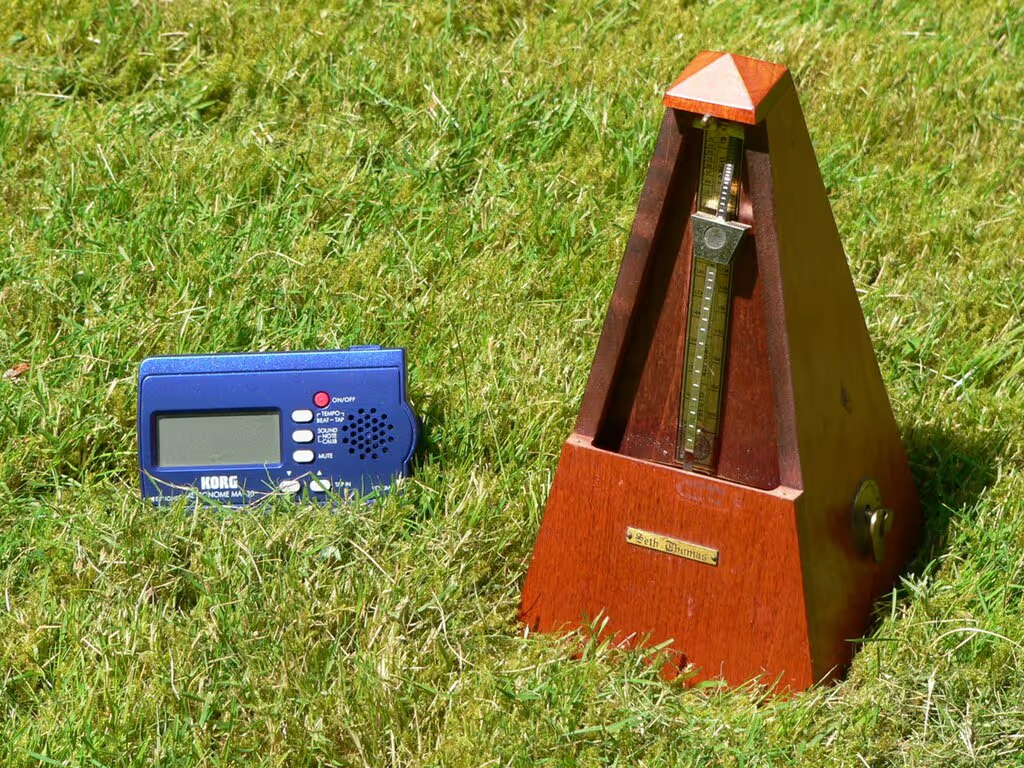
A metronome is a device used by musicians to keep a steady tempo during practice or performance through regular ticks or beeps at a set speed. It can be set to various tempos, measured in beats per minute (BPM), allowing musicians to practice at different speeds.
Minor scale refers to a diatonic scale that has a specific pattern of whole and half steps, typically associated with a sad, melancholic, or somber sound. It consists of seven notes with the pattern of whole steps and half steps as follows: W-H-W-W-H-W-W. Minor scales are used to build minor chords and harmonies, which are often perceived as more introspective.
A minuet is a slow, graceful dance in triple meter, typically composed in 3/4 time. The minuet has a light, elegant feel and is often structured in binary or ternary form. In a suite or symphony, the minuet usually serves as the third movement, providing a contrast to faster or slower movements.
Modulation (often referred to as a “key change”) is the process of changing from one key to another within a piece of music to create contrast, tension, or a sense of progression. It can occur suddenly or gradually, with the new key providing a fresh tonal center and altering the mood or direction of the music.
Motif refers to a short, recurring musical idea, theme, or pattern that is developed and transformed throughout a composition. They serve as the foundation for larger structures like themes, variations, and entire movements. A motif can be as simple as a rhythmic figure, a melodic fragment, or a harmonic progression.
Nocturne refers to a musical composition inspired by or evocative of the night. Popularized by composers like Frédéric Chopin, these compositions often have a lyrical melody supported by a gentle accompaniment, creating a sense of intimacy and introspection.
An octave is the interval between one musical pitch and another with either half or double its frequency. For example, in the C major scale, the note C repeats every eighth note, one octave higher or lower. An octave represents the natural repeating pattern of pitches in a scale. Notes an octave apart are perceived as the same except for being a different pitch.
Opera is a theatrical art form that combines singing, instrumental music, acting, and sometimes dance, to tell a dramatic story, typically performed in an opera house. It’s usually structured in acts, with arias (solo songs), recitatives (sung dialogue), choruses, and orchestral interludes. Similar to a traditional musical, the music is central to the opera’s storytelling.
Outro refers to the concluding section of a piece of music meant to provide a sense of resolution to the composition. It serves as the final impression of a song and can be as simple as a fading repeat of the chorus or a more elaborate section that echoes or contrasts with the rest of the music.
An overture is an instrumental piece played at the beginning of an opera, ballet, concert, etc. It sets the tone for the performance by introducing the musical motifs, moods, and characters that will be developed in the following acts.
Pentatonic scale is a musical scale with five notes per octave, as opposed to the seven notes found in a major or minor scale. Its five notes are usually derived from the major scale by leaving the fourth and seventh degrees out. The simplicity and versatility of the pentatonic scale make it particularly useful for improvisation and melody writing.
Percussion is a family of musical instruments that produce sound by being struck, shaken, or scraped. Percussion instruments include drums, cymbals, tambourines, and marimbas and are used to provide rhythm, texture, and dynamic variation.
Pitch, measured in Hertz (Hz), is the perceived frequency of a sound (i.e. how high or low it is). Notes on a musical scale correspond to specific pitches, and the relationship between pitches defines the structure of scales and chords.
Polyrhythm is the simultaneous combination of contrasting rhythms, usually with different time signatures, in a single musical composition. The technique is used to create complex and layered rhythmic textures. A common polyrhythm is the combination of 3 against 2, where one part plays three notes in the same time that another part plays two.
A prelude is a short musical composition or introductory piece that comes before a larger work or serves as a standalone piece. Historically, preludes were used to introduce a more substantial work, but in modern usage, they can stand alone as independent compositions to showcase the performer’s skill or set the mood for the main piece.
Quartet refers to a musical ensemble consisting of four performers or a composition written for four instruments to create intricate and harmonious interplay between parts.
A reprise is a repetition or return of a previously heard musical theme. Reprises often occur to provide cohesion or thematic unity in a piece, allowing listeners to recognize and connect with earlier musical ideas, perhaps with new context or from a new perspective.
Reverb, short for reverberation, is an effect that simulates the reflections of sound within an environment. In music production and performance, reverb is used to enhance the ambiance and atmosphere of a recording or live sound. It can mimic the acoustic characteristics of different environments, from small rooms to large concert halls.
Rhythm is the pattern of sounds and silences in music, organized into beats and measures, that dictates the movement and pace of a piece.
A riff is a repeated, catchy musical phrase or pattern, typically played by a lead instrument, like a guitar or piano. They tend to be used to create memorable and recognizable hooks and can also serve as a recurring motif throughout a song.
The root is the fundamental note upon which a chord is built. In harmony, the root note determines the chord’s structure and relationship to other chords. For example, in a C major chord, C is the root note, and the chord is built from the notes C, E, and G.
A scale is a sequence of notes arranged in ascending or descending order and spanning an octave. Common types of scales include major, minor, and pentatonic scales. Each scale has a specific pattern of intervals (distances between notes).
A sharp is a musical symbol (#) that raises the pitch of a note by a half step. For example, a C# (C sharp) is one semitone higher than C.
Sheet music is a visual representation of a musical work by showing the notes, rhythms, etc. the performer need to play.
Solfège is a method of sight singing and ear training that uses syllables (do, re, mi, fa, sol, la, ti) to represent the notes of a musical scale. This system helps musicians develop their ability to read and sing music accurately by associating specific syllables with each degree of the scale.
A solo is a musical performance by a single musician. In a solo performance, the musician is typically the primary focus, often performing a specific piece or a section of a larger work with minimal or no accompaniment.
A sonata is a multi-movement musical form or a composition for one or two instruments, typically including three or four movements with distinct characters. It’s structure is typically exposition, development, and restatement, providing a framework for thematic development and contrast.
Soprano refers to the highest vocal range in classical music, typically sung by women or boys with unchanged voices. Sopranos often carry the melody in choral and operatic works due to their bright and resonant sound. The soprano range extends from about middle C to high C or higher.
The staff is the five horizontal lines and four spaces used in musical notation on which notes are placed with each line and space corresponding to a specific note. The staff may be accompanied by clefs (such as treble or bass) to define the pitch range and key signatures to indicate the key of the piece.
A symphony is a large-scale musical composition for orchestra, typically consisting of four movements with contrasting tempos and characters. They are a cornerstone of orchestral repertoire with each movement typically following a traditional structure.
Tablature is a form of musical notation used primarily for string instruments, indicating where to place fingers on the strings rather than specific pitches. It provides a visual guide for which frets to press on which strings.
Tempo is the speed at which a piece of music is performed, typically measured in beats per minute (BPM). It’s used to set the pace for the music with markings, such as “Allegro” (fast) or “Adagio” (slow), guiding performers in interpreting the music at the intended speed.
Tenor refers to a vocal range between the baritone and alto, typically the highest male voice in choral and operatic music and is known for its bright, powerful sound and ability to reach higher pitches. Tenors range extends from approximately C3 to B4.
Tenuto is a mark (a horizontal line above or below the note) that directs performs to give the note more weight or emphasis, holding it for its full value or slightly longer.
Timbre (also known as tone color) is the unique texture of a musical sound that distinguishes it from other sounds of the same pitch and volume. It allows listeners to differentiate between, for example, voices and instruments or an acoustic guitar and an electric guitar, even when they play the same note.
Time signature is a musical notation, indicated at the beginning of a piece of music, that specifies the number of beats per measure and the note value that receives one beat, such as 4/4 or 3/4. The top number shows how many beats are in each measure, while the bottom number indicates which note value (e.g., quarter note, eighth note) gets the beat.
Tone refers to the quality and character of a musical sound, including pitch, timbre, and dynamics. Tone is manipulated to convey emotion and create atmosphere and is influenced by factors such as technique, instrument, and environment.
Transcription is the process of converting music from one format or medium into another, such as from audio recordings to written notation. It involves listening to a piece and accurately notating it, allowing musicians to play music that may not otherwise be available in written form.
Tremolo is a musical technique that involves the rapid repetition of a single note or rapid alternating between two notes to create a shimmering or wavering effect. It can be achieved through rapid bowing on string instruments, rapid striking on percussion, or using electronic effects.
Tritone refers to an interval spanning three whole tones, or six semitones, between two notes. It’s known for its dissonant sound and is sometimes referred to as an augmented fourth or diminished fifth.
A tune is a melody or a sequence of musical notes that is recognizable and often used as the main theme of a composition or song. By being easy to recall, it often serves as the core element of a song or instrumental work.
Tuning refers to the process of adjusting the pitch of an instrument or voice to achieve the correct or desired pitch. Proper tuning allows instruments to sound harmonious and in tune with one another. Tuning can be done using electronic tuners, tuning forks, or by ear.
A verse is a section of a song or composition, typically with lyrics, that follows a repeating pattern and alternates with the chorus. They generally provide narrative or thematic content and have different lyrics each time they are repeated, contrasting with the chorus, which typically remains the same.
Vibrato is a musical technique involving a slight, rapid variation in pitch. It’s achieved by oscillating the pitch of a note slightly up and down, creating a subtle trembling effect.
A virtuoso is a highly skilled and accomplished musician who demonstrates exceptional technical ability and artistry in their performance. They are recognized for their extraordinary talent, performing complex and demanding works with ease generally as a result of years of dedicated study.
Whether you’re an intermediate pianist looking to reach the next level or an advanced player aiming for perfection, refining your piano skills is a continuous and rewarding journey! With the right new tools and guidance, you can easily enhance your technique in 2026 with MuseFlow. It also helps you expand your repertoire, and deepen your musical understanding. Read below to find out how MuseFlow will help you refine your piano skills effectively.
Start using MuseFlow for free now!
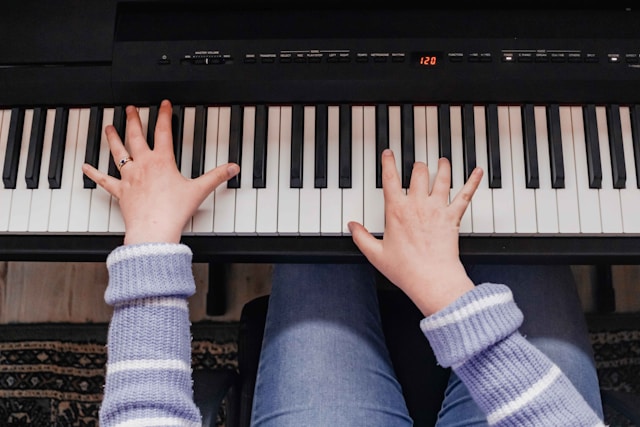
MuseFlow has the ability to create personalized practice plans tailored to your specific needs. The app uses advanced AI technology to assess your current skill level and identify areas for improvement. Based on this unique assessment, the best free piano app offers a customized practice schedule that focuses on really refining your technique and addressing any weaknesses.
Why it matters? Personalized practice plans really make sure that you spend your practice time efficiently. Instead of working on one generic exercise or song after the other (the old-school way), you’ll be focusing in on the areas that need the most attention, allowing for faster and more targeted improvement. This is the fastest way to learn at a higher pace.
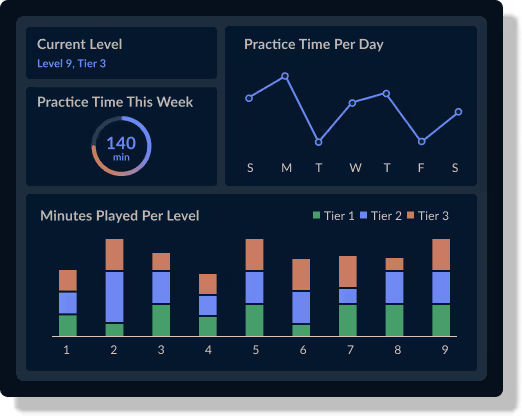
Refining your piano skills requires immediate & accurate feedback on your performance. MuseFlow provides real-time feedback as you play, helping you correct mistakes and perfect your technique on the spot. The app carefully listens to your playing and, with AI, analyzes your notes and timing, offering instant corrections and suggestions for improvement.. AI has the power to find errors and patterns in your playing that a human wouldn't be able to find on the spot.
Why it matters? Real-time feedback helps you develop good habits and avoid reinforcing mistakes. This instant guidance is crucial for refining your skills, ensuring that you’re practicing correctly and making the most of your practice sessions.
MuseFlow offers a wide range of advanced exercises & techniques designed to challenge and refine your piano skills. From complex scales and arpeggios to intricate finger exercises and advanced pieces, the app provides a comprehensive set of tools to help you push your limits and achieve new levels of proficiency.
Why it matters? Access to advanced exercises and techniques allows you to continually challenge yourself and prevent stagnation. By tackling more difficult material, you can expand your technical abilities and enhance your overall musicianship...if you're still asking yourself, how do I refine my piano skills? Then you've found the answer.
One of the key aspects of refining your piano skills is achieving a state of flow—where you are fully immersed and focused on your practice. MuseFlow is designed to help you reach this optimal learning state by providing just the right level of challenge. The app adapts to your progress, ensuring that each exercise is neither too easy nor too difficult, keeping you engaged and motivated.
Why it matters? Being in a flow state makes practice sessions more productive and enjoyable. When you’re fully engaged, you’re more likely to retain information and improve your skills. This goes for learning and refining any skill. MuseFlow’s ability to get you in this special state helps you get the most out of your practice time. You will love it! It will feel like time is just passing by without you noticing.

The best piano lessons app has an extensive music library which is another powerful tool for refining your piano skills. The app offers a large selection of pieces across various genres and at every difficulty level. This really allows you to explore new styles and expand your repertoire. Thanks to AI this is now possible and will help you have more fun while learning. Each piece is accompanied by detailed tutorials and practice tips to help you master it.
Why it matter? A diverse repertoire is essential for any pianist looking to refine their skills. By playing a wide range of music, you can develop versatility and adaptability, which are crucial for advanced musicianship. MuseFlow’s library ensures that you always have new and exciting pieces to learn.
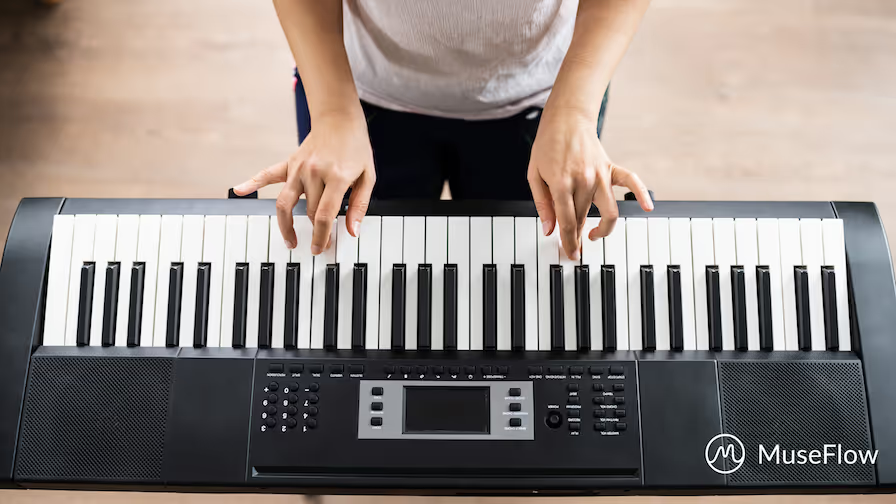
Refining your piano skills is a continuous journey. It requires dedication, the right tools, and effective guidance! MuseFlow really stands out as the ideal companion for this special journey, offering personalized practice plans, real-time feedback, advanced exercises, and a supportive community. Whether you’re aiming to perfect your technique, expand your repertoire, or achieve new and better levels of playing and sight reading, MuseFlow provides the resources and support you need to succeed.
Start refining your piano skills with MuseFlow today and experience the difference that advanced technology and personalized learning can make. We promise you will love it!
Figuring out what the best piano tutorial app is for you isn’t that hard. You just need to answer a few key questions for yourself and you’ll be golden.
Today, let’s talk about MuseFlow and what boxes it checks in regards to the three questions above. After that, you can judge for yourself and see if it’s the best piano tutorial app for you. Our guess is that it is 😊

For those who don’t know, autodidacts are people who teach themselves new things without taking formal classes. They use their own resources, like books or online materials like apps, and are usually intrinsically motivated to learn on their own.
There are a lot of famous musicians who are autodidacts, and many talk about the need for flow state in their practice. If you’re not enjoying your practice, what’s motivating you to continue?
Traditional methods of teaching are restrictive to the teacher and student relationship. That may work for some, but for people who are interested in learning on their own and at their own speed, we need to make room for newer ways of learning that support the musicianship of some individuals that never had a chance with traditional lessons.
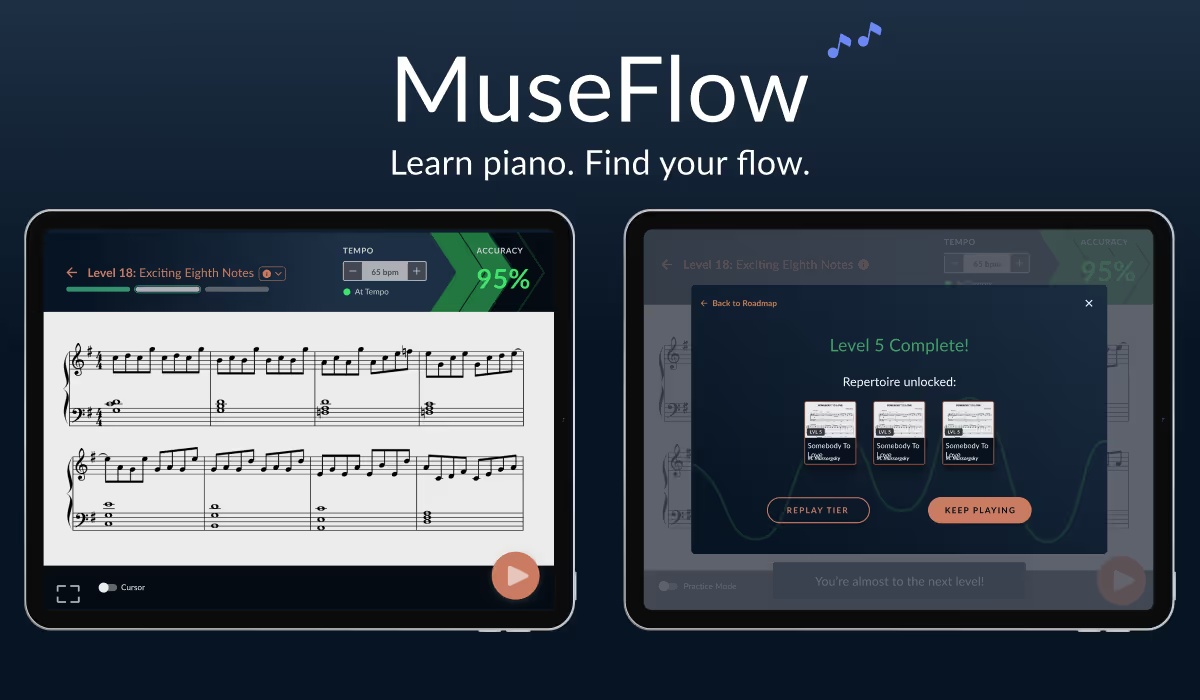
Enter MuseFlow: the piano education app that teaches how to play piano through sight reading - the act of reading music at first sight. No music educator has been able to do this because they’ve been restricted to written sheet music that’s inherently immutable. But with generative AI, MuseFlow is able to give you music you’ve never seen before, that’s at your level, and never repeats. You learn the new skill you want to learn in isolation first, then in the broader context of what you already know. After you play 95% accuracy over the course of 4 phrases, you beat the level! It’s like Duolingo but for piano education; bite sized skills you learn in flow, then you can apply it to actual songs that get unlocked and are put into your repertoire library.
MuseFlow is perfect for autodidacts that want to learn on their own. It enhances flow state, while allowing you to learn at your own pace. This new piece of technology makes room for new ways of learning and allows out-of-the-box thinkers to flourish.
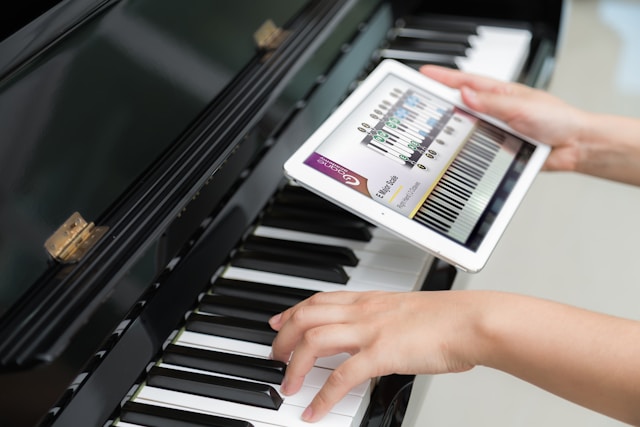
A lot of piano education apps are one-offs that offer a specific thing and nothing else. Yes, there are a few that offer a full curriculum, but they are of the old ways of teaching. The classic “here’s a new skill, now go apply it to a song, then come back and we’ll check it off if it’s perfect, or make you go home and practice it again!”
This method of teaching is highly restrictive… you only learn that new skill in the specific context of that one piece of music!
With MuseFlow, you get to learn a new skill through interactive piano tutorials in the app, then apply it to music that is always changing. You learn the skill inside a myriad of musical contexts BEFORE you apply it to songs. That’s the key to MuseFlow’s success. And why it builds better musicians in the long run. Not to mention it’s just more fun this way!
MuseFlow currently has two sections in the app - the sight reading curriculum that teaches you new skills, and the repertoire library where you can apply the new skills to repertoire and songs. The founding team is currently working on the third section of the app - the exercise library. In that section you’ll be able to do deeper dives into the skills you’d like more practice on.
This three-pronged approach to music education has been seen in previous iterations of music ed, but not in this form because no one has thought or technology to use sight reading, flow state, and generative AI in this way to enhance the learning process for their students.
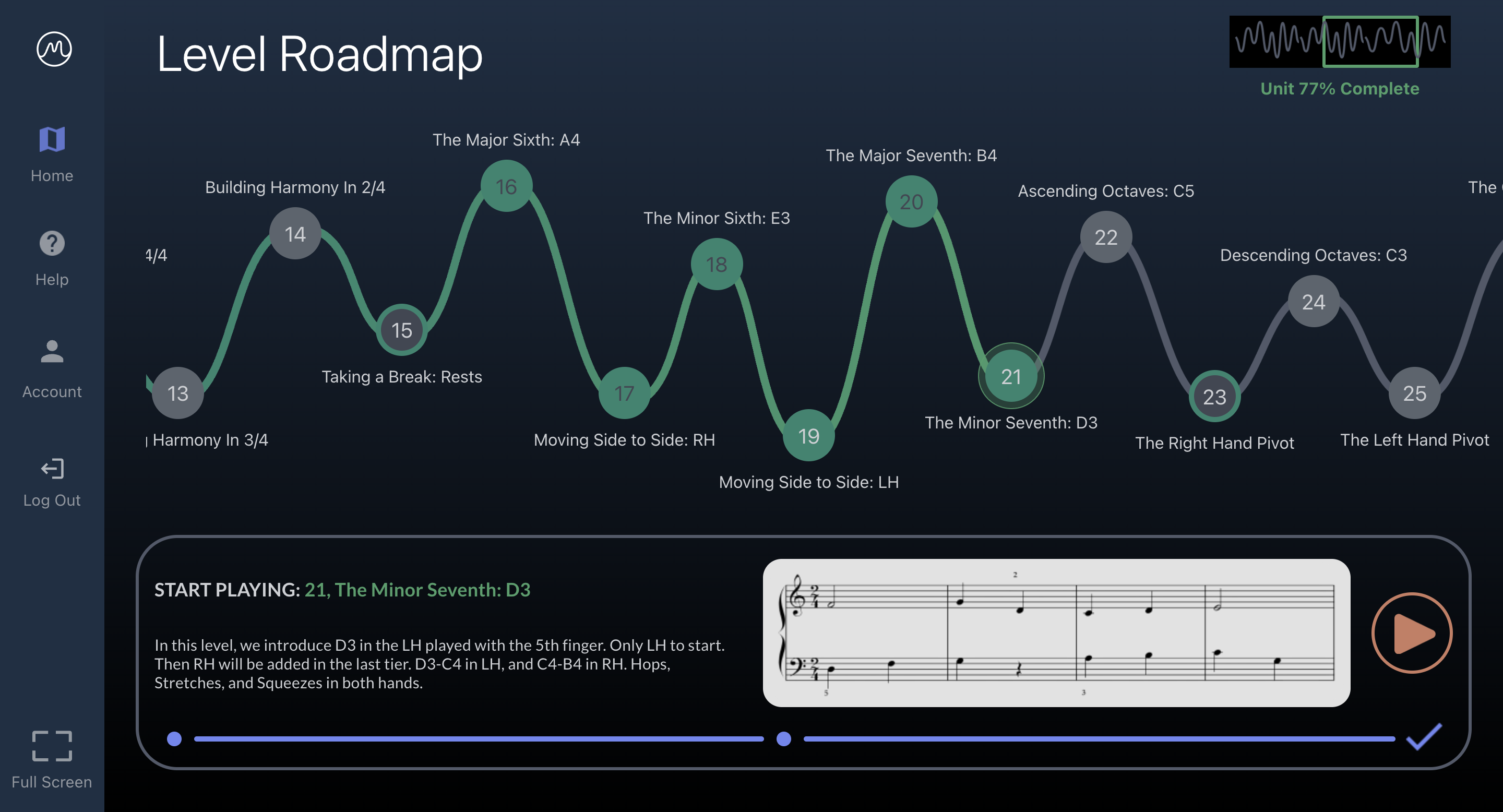
From what we’ve found, almost all other piano tutorial apps don’t have the benefits in the way MuseFlow does. They’re stuck in the old ways of teaching. MuseFlow revolutionizes the music ed process by putting the learning and practicing of a new skill inside more music than you’d every get from just one song. You’re playing 1,000+ notes each level! Where with just one song, you’re only playing about 50. And they’re the same notes and rhythms! Not every note and rhythm you already know as is the case with this piano tutorial app.
Along with this foundation comes a gamification aspect of MuseFlow that most music ed apps do not have. MuseFlow makes learning a true game. Not with artificial scores and stars, but with the feeling of actually learning something new. MuseFlow places you where your skill matches the challenge; the goldilocks zone of learning where you’re in the flow and being challenged just enough so that you’re engaged, but not so much that you’re frustrated.
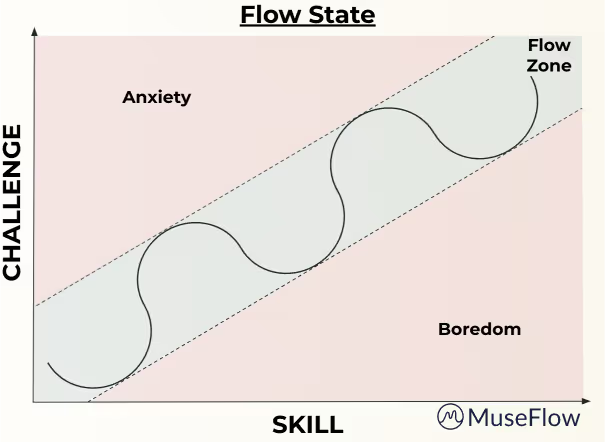
This type of gamification is what video games do. They put you in a trance-like state where you forget what time it is and you just want to keep playing. This scratches that itch of the perfect challenge for the skill you currently have. This type of gamification isn’t prevalent in most music ed apps, but it is in MuseFlow. It’s not extrinsic motivation MuseFlow uses, but intrinsic motivation. The actual feeling that you’re acquiring a new skill and beating the game. The “oh my gosh I’m actually learning it! I’m really learning it!” feeling. And MuseFlow gives that to you over and over each level you beat. This gamification and flow state activation, make it the best midi piano learning software.

With the advent of generative AI, MuseFlow capitalized on the ability to generate infinite music at the level you need to put you in a flow state: that perfect goldilocks zone where the challenge meets your skill level. With this core principle, this piano tutorial app helps autodidacts self-teach themselves how to play piano, is a full curriculum with repertoire that you can apply the new skills you learn to actual songs, and has many added benefits like flow state and sight reading that other apps don’t have. MuseFlow is the next generation of music education! Try it out for free for 7 days 😊
Learning to play the piano is one of the greatest feelings in the world, but takes a lot of work and time to perfect it. Many aspiring pianists face many different obstacles that make the journey frustrating & difficult. Thankfully, MuseFlow is here to help you! This innovative app is specifically designed to address common piano learning challenges, making your practice sessions more effective, fun and enjoyable. Here are the 5 most common challenges and how MuseFlow solves them!
Challenge: Staying motivated throughout the learning process can be tough. Progress might feel slow, and it’s easy to become discouraged. A lot of people give up early.
Solution: The best piano apps like MuseFlow keeps you highly motivated by making practice session fun and more engaging. The app uses modern elements of gamification, unlike most other piano apps out there. It captures that "aha" moment and gives that back to you on repeat. The learning is the game itself. Every new skill you learn is a level you have to beat. These features are guaranteed to make practicing feel like a really fun game.. providing a strong sense of accomplishment. This will automatically boosts your confidence and encourages you to keep going! You will LOVE it because each practice session is an exciting personal adventure that keeps you coming back for more. Gamification is knows to boost motivation if done correctly.
Challenge: Traditional piano lessons follow a one-size-fits-all approach. This is an old-school way of learning, because it can be frustrating for learners who actually need personalized guidance.
Solution: The best piano learning app uses machine learning and AI technology to provide a personalized learning experience. The software carefully assesses your skill level and then adapts the lessons to match your own personal needs. How amazing is that?? This means you’re always working on material that is both challenging and achievable! By tailoring each practice session to your abilities & goals, MuseFlow always makes sure that you’re progressing at your own pace. It also makes sure you're getting the most out of your practice time. There is no other solution out there that makes practicing so effective yet fun!

Challenge: Without immediate feedback, people often develop really bad habits. These habits can be hard to break later on..
Solution: The learning app will provide you with real-time feedback on your playing. This helps you correct mistakes right as they happen. That's by far the best way to learn. As you keep practicing, the app listens to your performance and offers instant corrections on notes, timing, and technique! This immediate, smart feedback makes sure that you develop better habits from the start. This of course will make your learning process more efficient. The innovative real-time feedback feature is like having a personal tutor available 24/7 - guiding you through each practice session. The only difference is that the tutor is friendly and never gets mad at you.
Challenge: We all know that practice can become monotonous and boring.. which often leads to frustration and quitting. Not anymore!
Solution: The California based tech startup designed the practice sessions to be more interesting. This is done by offering a large variety of exercises & challenges. MuseFlow midi piano lesson's interactive features and huge music library provide so many different opportunities for exploration and growth. The app regularly updates its content, so there’s always something new to learn. Customers are loving this, because they never get bored. By keeping your practice sessions amusing, the software helps you stay interested and excited about your musical journey.

Challenge: Many piano learners struggle to build a strong foundation - in piano techniques and music theory.
Solution: MuseFlow’s complete course structure is build so that you develop a strong foundation, in both technique and theory. The app provides step-by-step interactive tutorials and exercises designed to improve your piano playing. That means that whether you’re focusing on sight reading, finger movements, or understanding musical notation, the AI software's structured approach helps you master your fundamentals. This strong foundation is important for progressing to more advanced playing in the future and becoming a confident, skilled pianist.
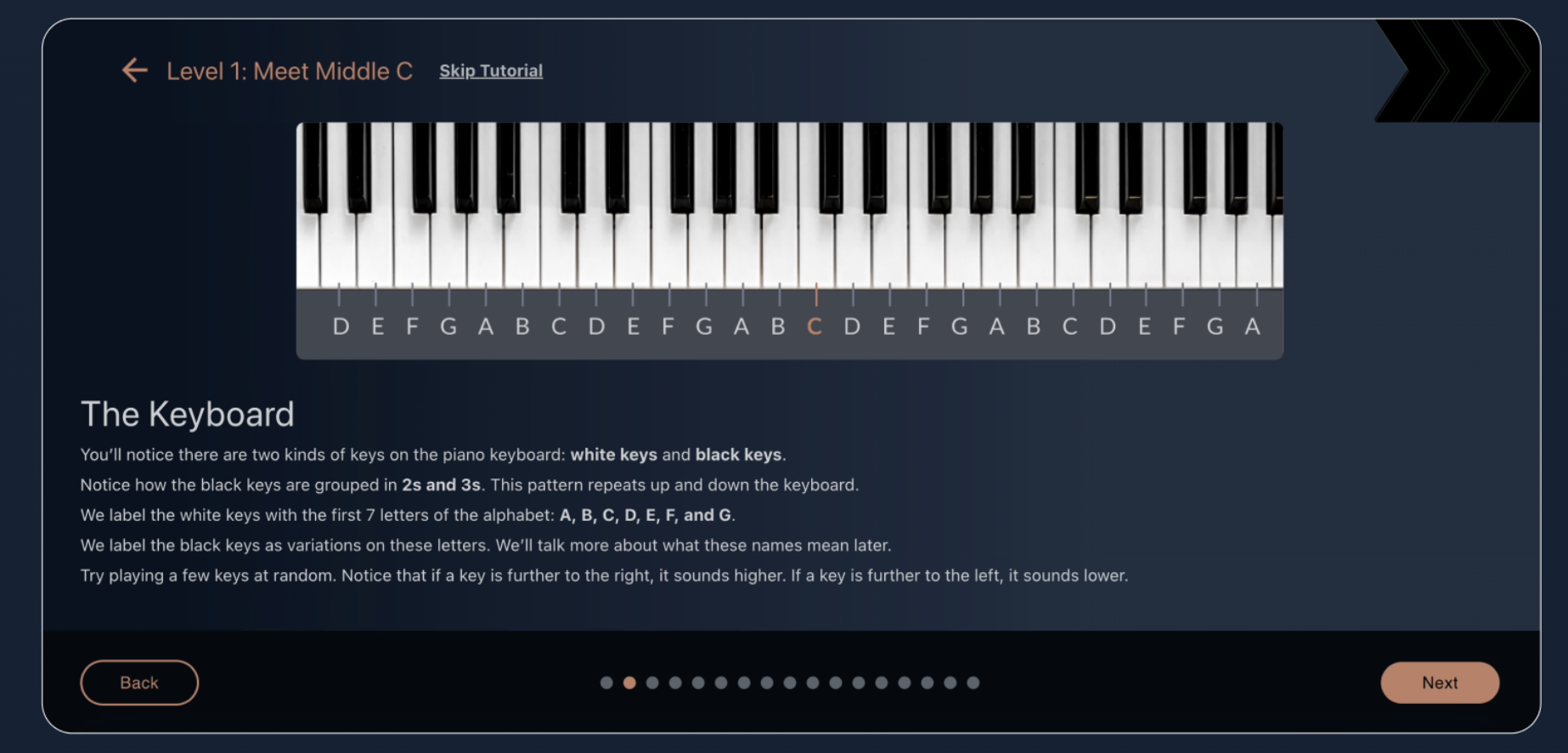
The piano is the most popular instrument, so it's definitely worth the challenges to learn how to play. As discussed above, learning to play the piano comes with its fair share of challenges... but MuseFlow is designed to make the journey so much smoother and more enjoyable like never before. By addressing common obstacles such as staying motivated, needing personalized guidance, receiving real-time feedback, always keeping practice sessions interesting, and building a strong foundation, the software really makes sure that you have the all the support and resources you need to succeed!
Respect to anyone who is learning piano by themselves. It requires a lot of discipline and patience. It's an exciting, but definitely also a challenging, journey. As a self-taught pianist, it’s important to find the right resources and tools to guide you. It will make all the difference. So, what is the best app for self-taught pianists? It’s a new innovative app called MuseFlow. This app has been designed to make piano learning accessible, engaging, and more effective for everyone! Below are 5 quick reasons why this AI software is the best app for self-taught pianists.
Use MuseFlow today! It's Free.
It’s 2026 so MuseFlow is using the best Artificial Intelligence (AI) tools to personalize your learning experience. Traditional old methods often follow a one-size-fits-all approach. These can be frustrating for self-taught learners who progress at their own pace. The California tech company strategically uses AI to assess your unique skill level. It then adapts lessons to suit your needs. That means you are always challenged but never overwhelmed.
The AI tracks your progress and provides feedback in real-time. This helps you correct mistakes immediately and develop better techniques from the start. The earlier bad habits are caught, the better for you. This personalized approach not only makes learning more efficient but also more enjoyable for you... You can learn at your own pace & focus on areas that need improvement. Who doesn’t want a fun but productive learning session?
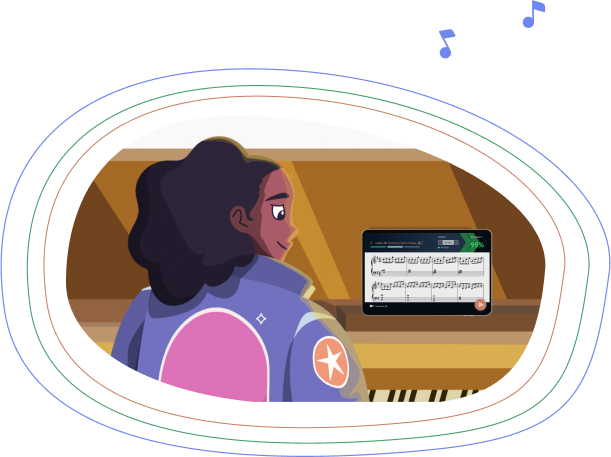
One of the biggest challenges for self-taught pianists is the lack of immediate feedback. You may have already gotten so far, but you can hit a wall when you don’t know where you should improve. Without a teacher or coach to guide you, it’s easy to develop bad habits as mentioned earlier. That can be hard to break later on. MuseFlow solves this problem by providing real-time feedback on your playing. As you practice, the app listens to your performance and then offers instant corrections on notes, timing, and technique.
Feedback is crucial for self-learners, it really helps you identify and fix mistakes right away. It’s like having a personal (friendly) tutor available 24/7. One that is guiding you through each practice session without getting annoyed or annoying... and by receiving feedback as you play, you can make adjustments in real-time. It’s genius, you have to try it to really see and experience it.
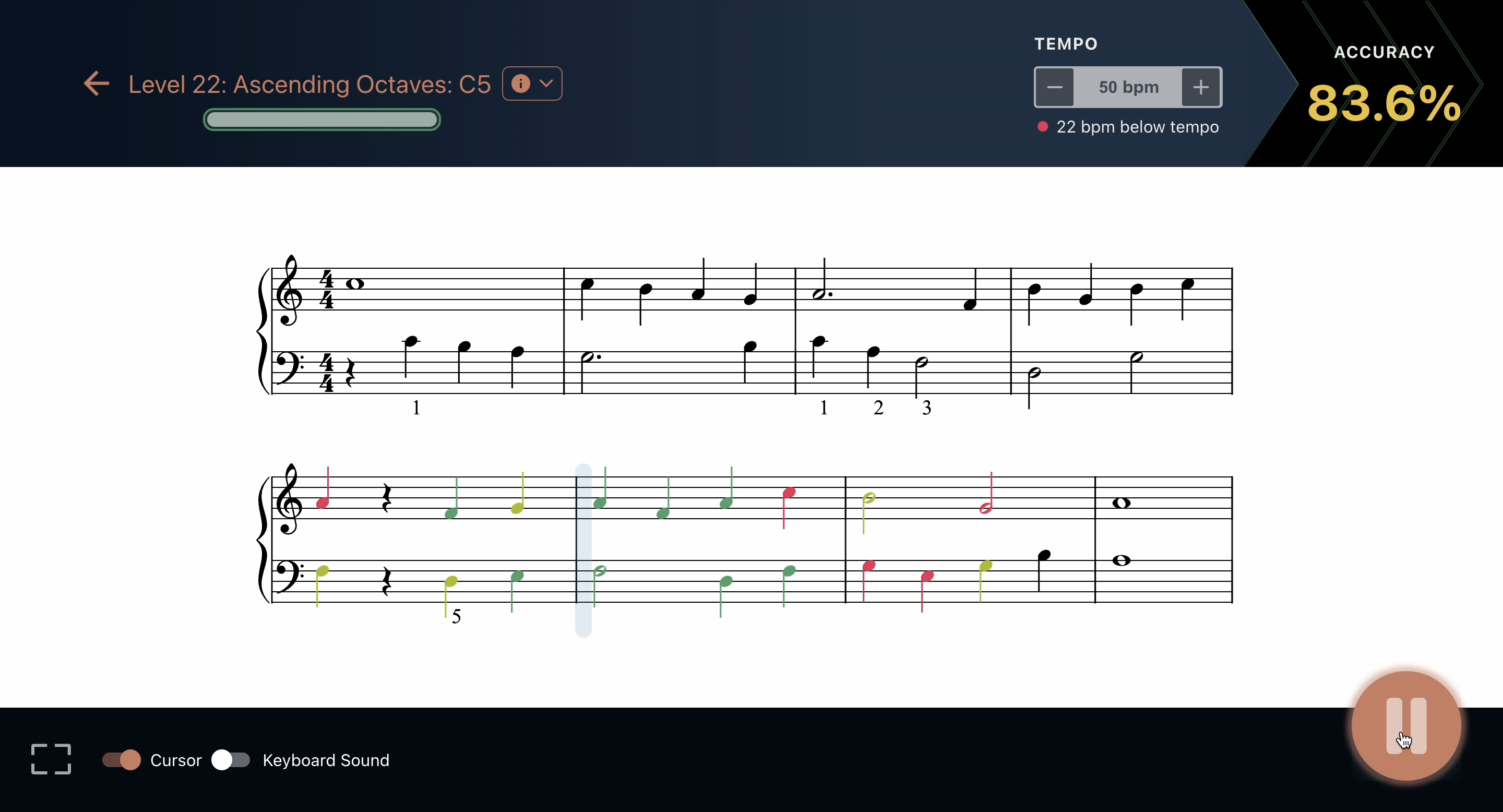
Learning piano should be fun, not a chore you don’t look forward to... The learning app for self taught pianists has many gamification elements that are added to the learning process to keep you highly motivated. With progress bars, achievement badges and screens, and interactive tutorials and challenges, each practice session feels like a game. This provides a modern and better learning experience. Gamified approaches make learning enjoyable and keeps you and others coming back for more fun, which means more learning.
Many self-taught pianists using MuseFlow have found that the app’s engaging features make it easier to stick with their practice routines; and we all know how hard it is to stick to routines! The feeling of achievement you get from earning badges & completing challenges can be so incredibly motivating… MuseFlow turns piano practice into an exciting adventure, which helps you stay committed to your learning goals.
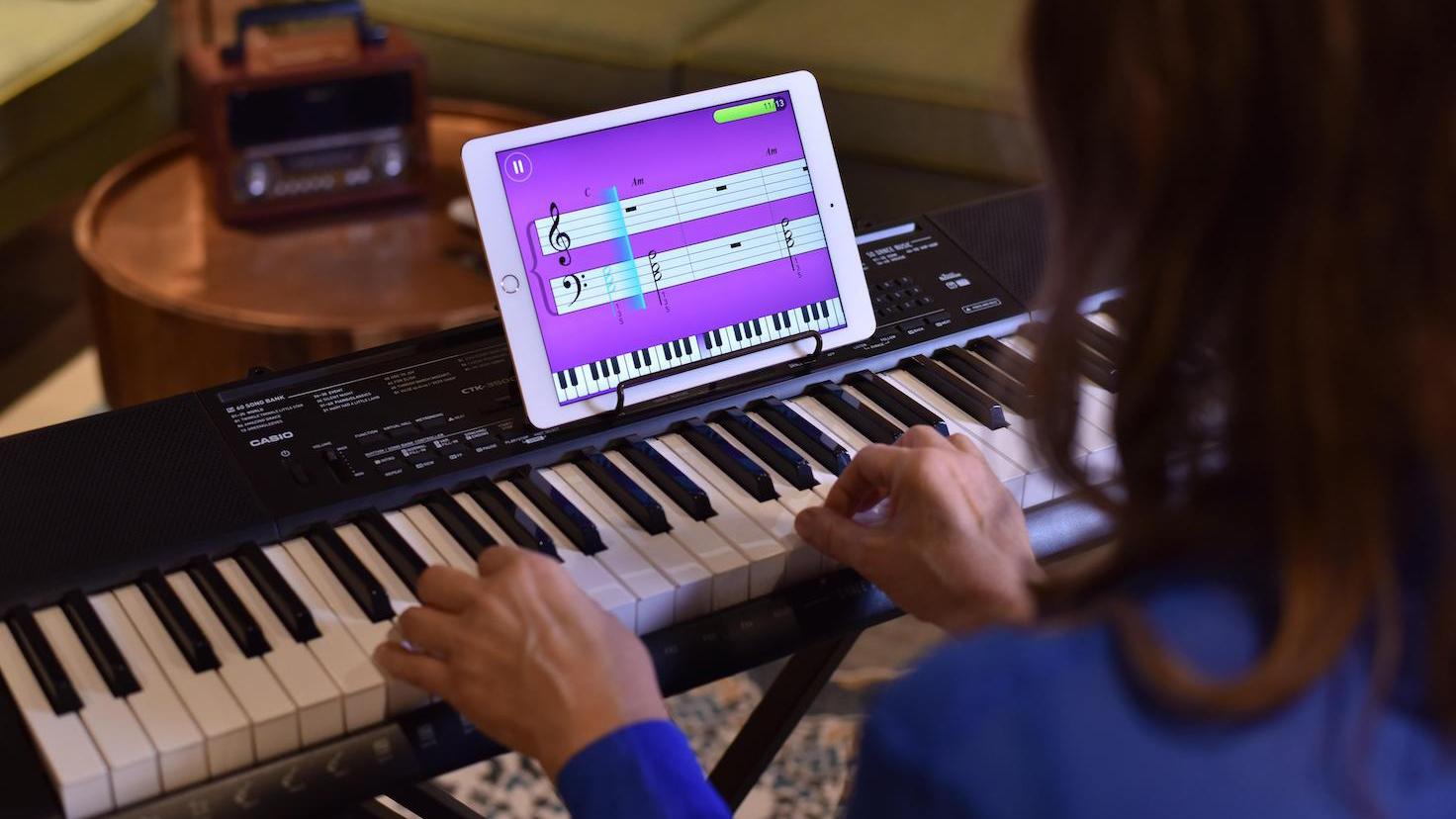
One of the most powerful aspects of MuseFlow is its ability to help you enter a state of "flow," where you are fully immersed and focused on your practice! This flow state is often described as a feeling of being "in the zone," where time seems to fly by in the best way possible. You are completely engaged in the task at hand and super focused. The software’s adaptive learning paths, real-time feedback, and interactive elements are all designed to facilitate this state.
Through the way the piano lessons app works, you will be challenged with tasks that are just at the right level of difficulty. The lessons keep your brain engaged and focused in the perfect state of learning. This deep concentration not only makes learning more enjoyable but also significantly enhances your ability to retain new information and develop skills more quickly. We have all been in those situations where we have been super focused and time just flies by. The flow state is a key factor in making your practice sessions more productive and rewarding.
One of the reasons MuseFlow is so popular is the expertise behind its development. Some of the founders started as self-taught pianists themselves. They understand the challenges and frustrations that come with learning on your own. This is why they’ve designed the app to address these challenging issues. Their firsthand experience and passion for music education are very evident in the app’s thoughtful features and user-friendly design!
Additionally, this midi piano lessons app has built a supportive community of learners. Many self-taught pianists are using the app and are increasing their learning curve at an unbelievable pace. This sense of community can be incredibly motivating and helpful, especially when you’re learning on your own. You can connect with other learners and share your progress with the team.
In conclusion, as you can see from the points above, MuseFlow is the best learning app for self-taught pianists. Its AI-driven personalized learning, real-time feedback, engaging new-school gamification features, flow state learning experience and the founders’ expertise make it an incredible tool for learning piano on your own. You will love this way of learning. Whether you’re just starting your musical journey or looking to improve your existing skills, the technology provides the support and resources you need to succeed!
Join the many other happy self-taught pianists who are discovering the joy of learning piano with MuseFlow.

Keep up to date on our progress as we continue to add new features!